App Screenshots

Digital library for books and periodicals
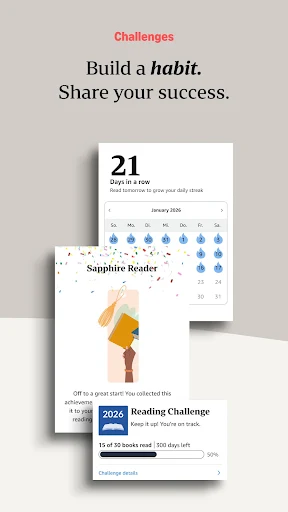
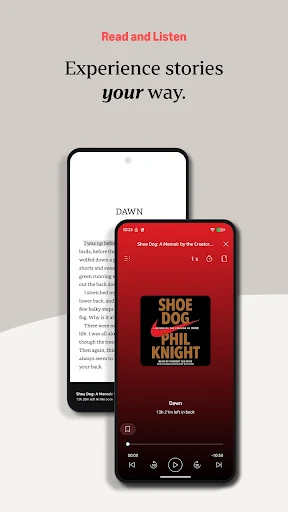
Amazon Kindle: Reading App transforms a phone or tablet into a versatile digital reader capable of handling ebooks, magazines, newspapers, comics, manga, and supported Audible audiobooks. Its primary advantage is cross-device synchronization, allowing users to seamlessly transition between reading a chapter on a phone during a commute and listening to a matched audiobook or continuing on a tablet at home. Progress, bookmarks, highlights, and notes automatically track across compatible devices, keeping your place updated across formats.
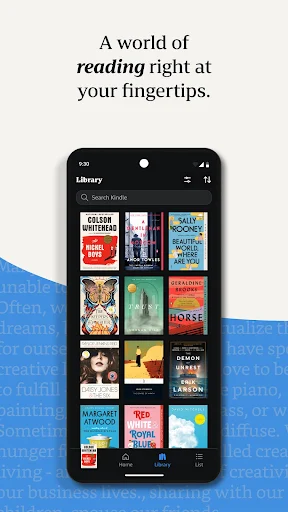
The app organizes all purchased books, downloaded titles, and supported personal files like PDFs within a single Library tab. For finding new material, the Home tab highlights new releases, Amazon Charts best sellers, genre collections, and book samples. Where available, integrated access to Kindle Unlimited and Prime Reading enables users to browse and borrow titles directly within the ecosystem rather than buying every item individually.
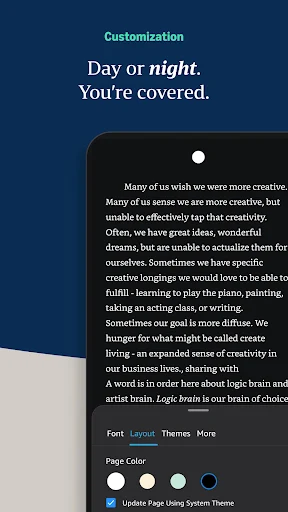
Reading comfort can be tailored extensively through in-book appearance settings. By tapping the center of the screen and selecting the appearance menu, users can adjust font styles, text sizes, line margins, text alignment, screen orientation, brightness levels, and color themes, such as switching to a dark mode for night reading. The app also supports different layout preferences, including continuous vertical scrolling, which is particularly practical for text-heavy ebooks, visual comics, and manga.
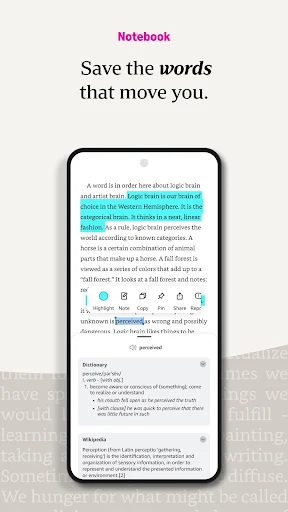
To assist with comprehension and active reading, the reader interface includes built-in reference capabilities. Selecting text provides immediate options to create color-coded highlights, write personal notes, copy text, or share excerpts. Integrated dictionary definitions, Wikipedia lookup, translation tools, and the X-Ray feature allow readers to analyze key terms, character backgrounds, and central topics directly on the page without leaving their current chapter.
Your comment was submitted and is awaiting moderation.
Your comment was published.