No instructions, no reading, no way to spend money
Choosing games for a small child is not really about the games. It is about what surrounds them. A child who cannot read cannot tell a close button from an advertisement, cannot tell a purchase prompt from a door, and will tap whatever is brightest. So the selection below is made on three things first and entertainment second: does it run without a connection, does it show advertisements, and can it spend money. Good games that fail those tests are not on this list.
What to check before handing the phone over
| Check | Why it matters | How to test it in a minute |
|---|---|---|
| Does it work in aeroplane mode | No connection means no advertisements, at all | Turn the connection off and open it |
| Does it show video advertisements | A four year old cannot close them | Play for five minutes yourself first |
| Can it ask for money | Prompts look like part of the game | Look for a shop icon or a currency |
| Does it need reading | Otherwise you are the interface | Watch whether instructions are spoken or drawn |
| Does it end on its own | Endless loops are hard to stop | See whether there is a natural stopping point |
| Does it want a login or a name | Small children should not have accounts | Any request for an email is a no |
Advertisement
The games

Toca Boca World. Open-ended play with no goals, no scores and no way to lose, which is exactly right for this age. The base game is free; additional areas are sold as add-ons, so check what is unlocked before handing it over.

Toca Kitchen. Cook for a character and watch them react. Free, no reading, no failure state, and endlessly repeatable, which is how a four year old plays anyway.

Sago Mini World. A large collection of tiny gentle activities in one app, made for toddlers and preschoolers. Subscription-based, and notably free of advertising and prompts.

Sago Mini Friends. The same studio at its simplest: visit houses, play small games, nothing to read. The right shape for a three year old's first game.

PBS KIDS Games. Games built around well-known children's programmes by a public broadcaster. Free, no advertising, no purchases, and designed with educational intent rather than retention in mind.

Khan Academy Kids. Completely free, no advertisements, no subscription, covering early reading, numbers and drawing, with a friendly guided path. The single most generous app in this list.

Dr. Panda Town Tales. Role play in a small town where everything is tappable and nothing is scored. Paid once, with no further prompts inside it.

Dr. Panda Restaurant Asia. Cooking and serving with no timers and no way to fail, which is unusually calm for a restaurant game.

Baby Panda World. An enormous collection of preschool mini-games in one app. Free, and it does push its other titles, so aeroplane mode and a look through it first are both worth the effort.
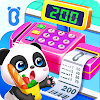
Baby Panda's Supermarket. Pretend shopping, which small children love and which quietly teaches counting and sorting. Free, from the same very prolific studio.

My Town Home. A doll's house on a screen: rooms, characters, no rules. Free to start with further locations sold separately.

LEGO DUPLO Train. Made for the youngest end of this range, with big targets and simple cause and effect. Free, with no advertising.

LEGO Juniors Create & Cruise. Build a vehicle and drive it about. Free, simple and forgiving, and a good first building game.

Endless Alphabet. Letters and words as animated puzzles, for a child at the very start of reading. Paid, with no advertising, and it teaches the sounds rather than just the letter names.

Sesame Street Alphabet Kitchen. Making words out of letters with familiar characters, from a non-profit with decades of children's education behind it.

Peppa Pig: Paintbox. Drawing and colouring with a character most small children already know. Simple, small and free.

Kids Doodle. Drawing with glowing brushes and a playback of the drawing being made, which children find fascinating. Free with advertising, so this is one for aeroplane mode.

Puzzle Kids. Straightforward jigsaws with large pieces and pictures a small child can name. Free, and a good quiet game for a waiting room.
The twenty second setup before handing it over
- Turn the connection off One swipe. This removes most advertising and all messaging, browsing and buying.
- Set a timer that the child can hear A kitchen timer or the phone's own. A warning at two minutes remaining prevents most of the argument at the end.
- Turn on screen pinning Android can lock the phone to a single app until you unpin it, which stops a wandering thumb reaching your mail. It is in the security settings and takes a minute to enable once.
- Check the volume before, not after Small children hold a phone close to their face. Set the level yourself.
- Play it once yourself first Five minutes tells you what the advertisements are like, whether it asks for money and whether it needs reading. No store listing tells you any of that.
- Keep a separate user profile if the phone is shared often Android supports more than one user. The child's games, and nothing else, in a profile of their own.
The part the app stores will not tell you
Free children's games are overwhelmingly advertising businesses, and the advertisements shown to a child are not curated for them. That is the single strongest reason to prefer paid games, subscription apps from studios that make only children's software, or the free apps made by broadcasters and non-profits, which have no advertising because they are funded another way.
- It works with the connection off
- No shop, no currency, no gems
- Instructions are spoken or drawn
- Nothing to lose and nothing to fail
- Made by a studio that only makes children's apps
- Video advertisements between levels
- A prompt to rate or share it
- Rewards that arrive on a timer
- Anything asking for an email address
- Advertisements for other games dressed as buttons
Turn the connection off, pin the app, set a timer, and prefer games with no shop in them. The game itself matters less than what surrounds it.
Frequently asked questions
How do I stop a child buying things by accident?
Require authentication for every purchase in the store's own settings, and keep the connection off during play. Both together make accidental purchases effectively impossible.
Are free games really worse?
Free games funded by advertising are worse for this age group, yes, because the advertisements are the part a small child cannot handle. Free games from broadcasters and non-profits are a different thing entirely and are among the best here.
What about screen time?
That is a family decision rather than a technical one. What the phone can do is make the end of the session predictable: a timer the child can hear, and a warning before it runs out.
Can I stop them leaving the game?
Yes. Screen pinning locks the phone to one app until an adult unpins it, and a separate user profile keeps your own accounts out of reach entirely.
Read next
Nothing has infected your phone. Something you installed has permission, and the fix is a list in settings.
A phone will happily run a keyboard, a mouse and a memory stick. It will not power a desktop hard drive.
Hard and fast are different things. Almost every game confuses them, and these do not.

