App Screenshots
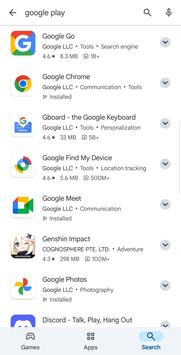
Find games, books, and digital programs
The Google Play Store serves as a central hub for discovering, purchasing, and downloading digital content, including mobile applications, digital books, and audiobooks. It ties all acquired items directly to a personal user account, allowing media and software to be redownloaded across multiple supported devices without repurchasing them.
Accessing the storefront requires a valid Google account. New users can set up an account by providing basic details such as their first and last name, date of birth, a chosen email address, and a phone number for verification purposes. Once a strong password is created and the license agreements are accepted, the account connects directly to the app to authorize future downloads and purchases.
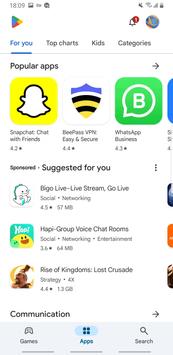
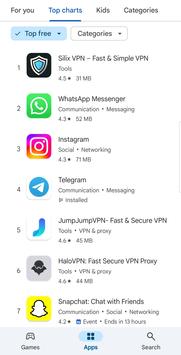
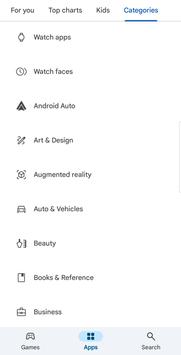
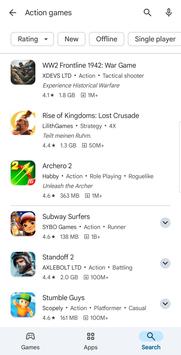
The interface separates its catalog into distinct tabs accessible at the bottom of the screen. Upon opening the app, the primary view defaults to trending releases, upcoming titles, and popular software. Dedicated sections allow users to browse software like messaging platforms or streaming services independently from entertainment titles. A separate tab hosts a digital library containing both text-based ebooks and audiobooks available for direct purchase and download.
Every item listed on the platform features a detailed listing page provided by its developer. These pages display essential installation details, including the required minimum operating system version, the specific file download size, and the full list of device permissions requested by the software. Listing pages also show user ratings, estimated download counts, content age recommendations, screenshots, and promotional videos, though the descriptive text and media are published directly by developers without editorial control.
Users can manage their existing software inventory through the user profile menu located in the top right corner of the interface. This area provides access to a complete list of currently installed applications, making it straightforward to review and organize software tied to the account.
Your comment was submitted and is awaiting moderation.
Your comment was published.