App Screenshots
Popular categories
Scrolling electronic sign and display tool
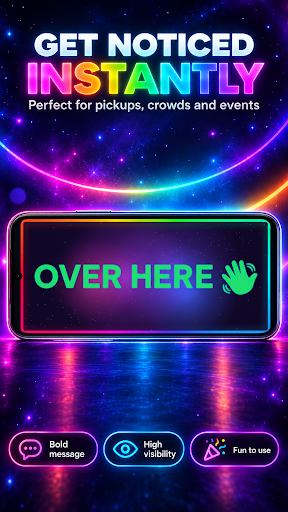
Transforming your mobile display into a full-screen moving message board, LED Banner helps you communicate across noisy rooms, busy venues, or crowded public spaces. Whether you need to hail an incoming passenger at an airport terminal, showcase sales promotions at a market stall, or display custom graphics at a music concert, the app renders high-visibility text, clock displays, and countdowns. Beyond standard text scrolling, it features customizable typography styles like glowing neon and simulated LED dot matrices with adjustable dot density, paired with multi-layer visual effects that run in real time.
Message typography can be tailored to suit different viewing distances and environments. Options include high-contrast plain text for maximum readability, glowing neon outlines, or a simulated LED dot matrix where you can tweak the dot shape, brightness, and density. You can set your text to scroll in four distinct directions, bounce across the edges of the screen, or remain entirely static. Built-in layout tools automatically adjust font sizing to ensure longer messages fill the display area without awkward truncation.
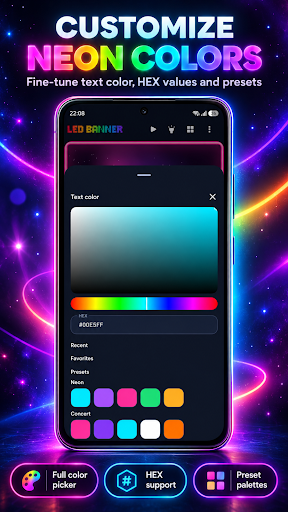
Visual customization relies on a full spectrum of color controls, supporting solid shades as well as multi-stop rotating color gradients. You can combine up to three light effects simultaneously, choosing from options like pulsing, shimmering, color cycling, wave patterns, and neon flickering. Displays can be further enhanced using edge lighting frame effects or animated real-time backgrounds such as star fields, fireworks, bokeh, or cyberpunk grids. For localized visual setups, Pro options allow you to apply a custom photograph as the underlying backdrop or set your finalized design as a live wallpaper.
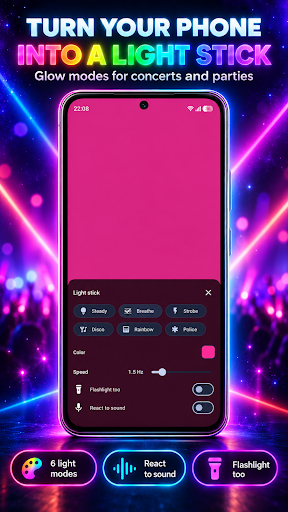
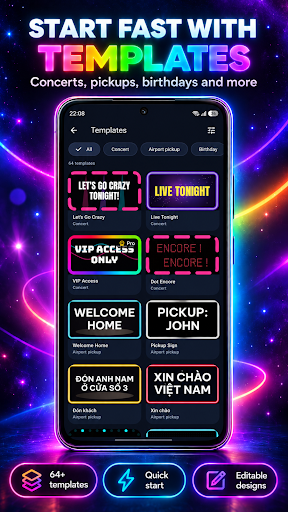
To speed up setup, 64 built-in layout templates provide pre-configured visual themes for events like birthdays, sports games, and retail sales. Custom creations can be saved to a local library for instant reuse later. During live presentation, the full-screen playback mode keeps the device display awake continuously, offers a touch-lock setting to prevent accidental taps while holding up the phone, and supports orientation shifts between portrait and landscape modes. The app can also sync with ambient noise through a sound-reactive setting that uses the device microphone solely to measure volume levels without recording audio.
Completed animations and sign designs can be exported directly to local device storage as GIF images, PNG graphics, or MP4 video files, complete with configurable frame rates, durations, and output resolutions. Pro features expand playback utility by allowing synchronized camera flashlight blinking and sound effects during the show. Because all project files, custom layouts, and templates are stored locally on the device without requiring a user account or an active internet connection, your saved designs remain accessible offline.
Your comment was submitted and is awaiting moderation.
Your comment was published.