App Screenshots
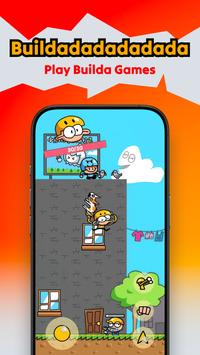

Visual block coding for gameplay creation
Fixed reported bugs. Leave 5 stars to support us!
Creating interactive scenes and playable levels without writing code is the primary focus of Builda, a visual creation app designed for designing games through block-based logic. It combines visual scripting with built-in art tools, allowing users to draw sprites, animate frame-by-frame sequences, and map out interactive mechanics like character movement, collision triggers, and score tracking. Beyond individual asset creation, the app supports multi-user collaboration and community remaking, enabling teams to build, edit, and playtest shared projects within the same session.
Programming gameplay relies on a drag-and-drop system where events, conditions, and actions are snapped together visually. Instead of typing syntax, creators define behavior by connecting modules. For instance, setting up an item pickup requires attaching a collision event to an action that increments a score counter and removes the object from the scene. To prevent complex logic networks from cluttering the workspace or causing performance issues on lower-spec hardware, project logic can be organized into grouped sections while keeping scene physics simple. The visual structure also serves as a debugging tool, making it straightforward to trace object behaviors and isolate unexpected actions without combing through traditional code.
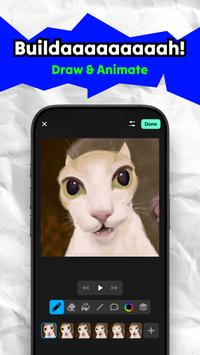
The built-in illustration editor allows artists to draw characters, edit color palettes, and build animations directly alongside the gameplay engine. To create smooth motion cycles, such as running or idle emotes, the editor includes onion-skin overlays that project faint outlines of previous frames for precise alignment. Users can control frame durations to adjust timing, import external sprite assets, or draw elements from scratch. Because the art pipeline is integrated into the core editing space, visual changes and animation tweaks reflect instantly during scene previews.
Projects can be shared directly through project links dropped into group chats, allowing multiple users to join a single creation session. Teams can assign distinct roles, such as delegating visual design to an artist while another user sets up block logic. Edits update live, allowing collaborators to build environments together and immediately launch into the same instance to test mechanics, review level design, and gather feedback without needing to export files or wait for manual builds.
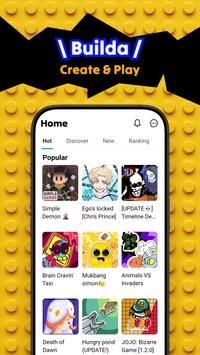
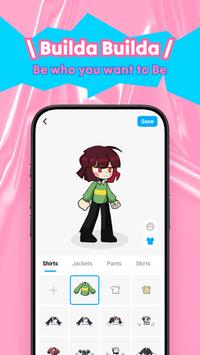
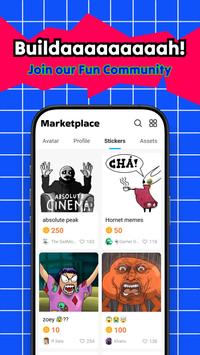
The platform includes community discovery spaces featuring shared projects, trending creations, and user-generated templates. Rather than starting from a blank canvas, creators can open existing public projects in remix mode. This feature allows users to inspect the underlying visual logic, substitute default sprites with custom artwork, and alter animation frames to build new variations of established levels. Integrated social features, including dedicated groups, chat channels, and customizable avatars, facilitate discussion around shared mechanics and design workflows.
Your comment was submitted and is awaiting moderation.
Your comment was published.