App Screenshots
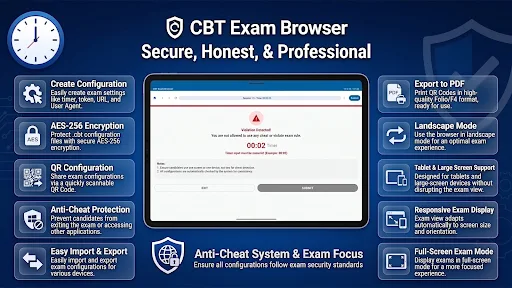

Secure browser for web-based online examinations.
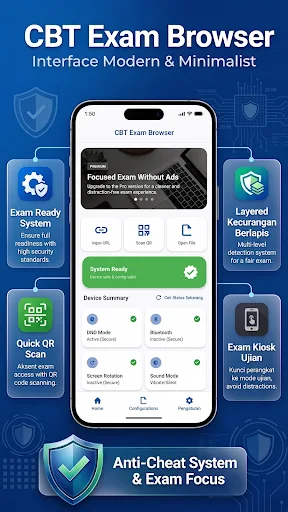
Testing coordinators and educators can convert standard web examinations into secure, locked-down assessments using CEB – CBT Exam Browser. Built for schools, universities, tutoring centers, and training institutions, the app functions as a specialized client for web-based testing platforms, learning management systems, and online forms. It addresses exam security by locking the screen into a dedicated kiosk environment, blocking unauthorized split-screen multitasking, restricting floating overlay windows, and preventing screenshots or screen recordings. It also monitors for virtual spaces and emulators while enforcing the use of a standard keyboard to restrict unauthorized AI tools, clipboard histories, and autofill features.
The app operates as a restricted portal that isolates the active test session from external device tools. When an exam is in progress, the app pins the testing page to the screen to prevent candidates from switching to other applications or opening side-by-side windows. Background checks continuously monitor the environment for unauthorized floating apps, foreground overlays, virtual spaces, and emulators. Furthermore, visual privacy controls prevent users from capturing screenshots or starting screen recordings during the assessment. If a student leaves the designated exam environment, an automated time penalty system can deduct time from their session.
During a test, the top of the interface displays a persistent exam header containing critical status details. Test administrators can configure this header to show the specific exam title, school or institutional branding, a digital clock, and the device’s current battery status. Alongside the header, an integrated countdown timer keeps track of remaining time in real time. The timer automatically triggers visual alerts at four designated intervals: five minutes, three minutes, one minute, and thirty seconds remaining. During the final ten seconds of an exam, the countdown visualization changes to draw immediate attention to the expiring time.
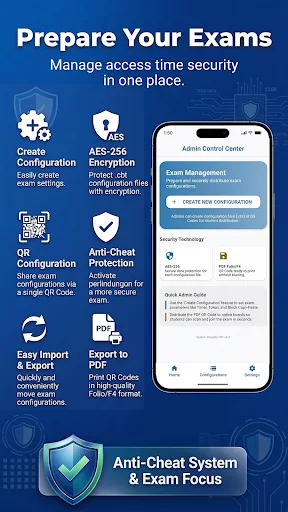
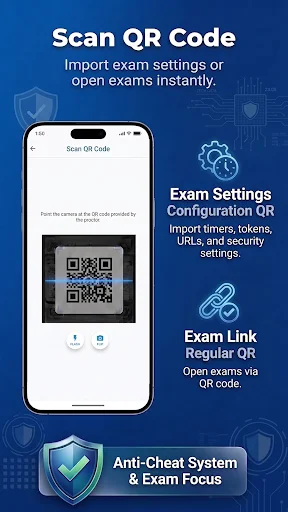
Educators and administrators can manage exam parameters without needing to modify the underlying application code. Through custom configuration files, administrators specify the target exam URL, custom User-Agent strings, entry and exit security tokens, allowed test durations, copy-and-paste permissions, and instructions. The system can also be set to perform an automatic cache cleanup once an exam concludes. To protect these parameters from tampering, configuration files are secured using AES-256 encryption. Administrators can distribute these settings using encrypted .cbt files or via Offline and Hybrid QR codes, which can be exported into print-ready PDF sheets formatted for standard Folio/F4 paper.
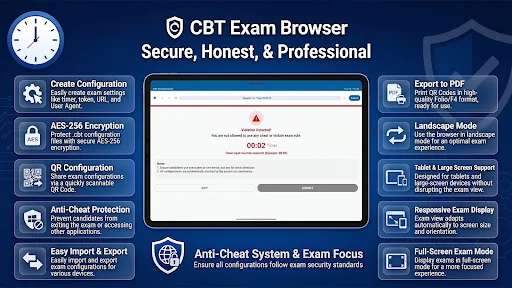
The user interface adapts across various screen sizes, supporting both portrait and landscape orientations on smartphones and larger display devices. When switched to landscape mode, the navigation layout automatically adjusts to maximize screen space for reading and answering questions.
Your comment was submitted and is awaiting moderation.
Your comment was published.