App Screenshots

AI character chat and bot creation platform
Bug fixes & improvements
Chai: Chat AI Platform is a social conversational app that allows you to interact with a vast catalog of user-created AI personas or design custom bots from scratch. Users can jump into text conversations with fictional figures and community characters, build detailed backstories to steer a bot’s responses, and attach voice audio to make interactions more lifelike. Featuring cross-platform synchronization between mobile devices and the web, the app also incorporates a built-in feed where creators can publish their custom bots, gather followers, and showcase generated artwork.
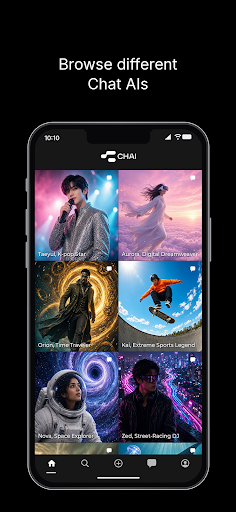
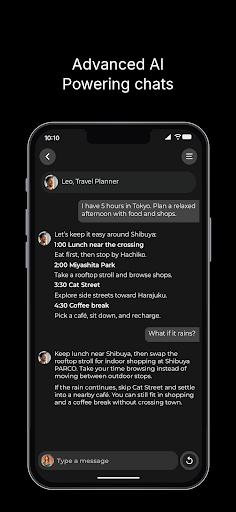
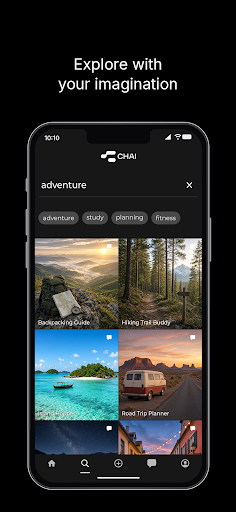
Finding a character is handled primarily through the Home tab, which functions as a social feed displaying trending and newly published community bots. Opening a profile lets you start a conversation immediately, while likes, comments, and creator follows surface active bots worth trying. If a specific character or trope is needed, the Search tab filters the library by keywords to quickly narrow down options. Every ongoing conversation is stored in the Chats tab, making it simple to jump back into active threads or switch between multiple favorite characters. Replies arrive quickly and continuously adapt to the selected personality, allowing you to easily leave a chat and start another if the conversation style does not match what you are looking for.
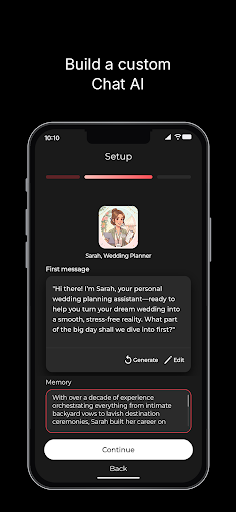
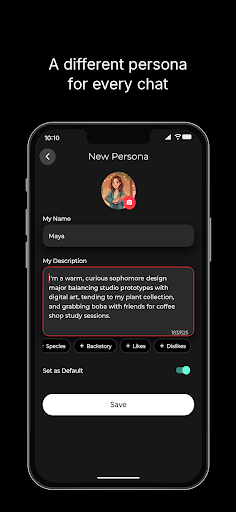
The app includes dedicated character creation tools that let you construct either public or private bots. Setting up a persona involves assigning a name, writing a short introduction, and providing a detailed backstory that dictates how the AI should behave and respond. You can also write a specific opening message to set the exact tone for how the conversation begins. Beyond text parameters, the creator tool allows you to generate profile images and artwork directly inside the app. Authors can keep work private while fine-tuning a persona’s behavior, or make the character public to receive community feedback and gain followers through the main feed.
To complement text responses, you can attach a voice to a character so that incoming replies are spoken aloud. This optional feature adds a layer of presence to interactions, making storytelling and immersive role-play feel more conversational during longer chats. Because voice generation can be toggled on or off, you can keep conversations strictly text-based when using the app in quiet environments or while managing data usage.
Your comment was submitted and is awaiting moderation.
Your comment was published.