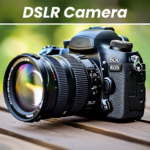
DSLR HD Camera : 4K HD Camera combines real-time photo and video capture controls with a dedicated post-shot editor, allowing you to fine-tune camera settings before taking a picture and adjust visual effects afterward. Designed for users who want more control over everyday photos, group shots, and active subjects, it offers manual adjustments for compatible hardware alongside automated capture tools like timers and burst modes. An integrated editor lets you apply filters, stickers, textures, and custom background blur directly within the same app.
Manual Control and Shooting Modes
When framing a shot, the app exposes hardware-supported settings to give you control over the exposure and focus. On compatible devices, you can manually adjust ISO, shutter speed, focus, white balance, exposure compensation, and scene modes. For situations where a single frame might miss the action, a burst mode provides continuous shooting with configurable delay intervals. Hands-free capture is supported through a countdown timer, automatic repeat options, and audio cues, while zoom can be operated using on-screen controls or multi-touch gestures. Supported devices also allow capturing video and photos up to 1080p and 4K resolutions, as well as enabling a silent shutter depending on local device and regional configurations.
Selective Blur and Image Editing
After taking a photo or selecting one from your device, you can edit it immediately without switching apps. The post-processing suite includes color filters, decorative stickers, patterns, and textures. Its dedicated blur tool is designed for modifying background depth, giving you precise control over the direction and strength of the effect. To refine the area around your subject, you can adjust the brush size to draw or erase blur around complex edges. Pre-designed templates are also available to serve as a starting layout for quick edits.