App Screenshots
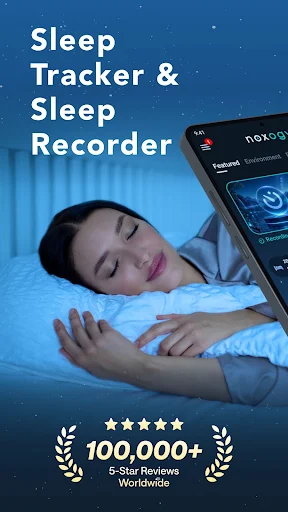
Sleep recorder and cycle tracker.
Monitoring your sleep quality and identifying night noise usually requires wearable tech, but Sleep Recorder Tracker Noxogy turns a bedside phone into a dedicated tracking station. Placing the device nearby allows you to automatically record snoring, capture sleep talking, and chart your night without creating an account or sending audio to cloud servers. It combines an audio recorder with a sleep cycle analyzer, giving you a detailed breakdown of your rest alongside a smart alarm designed to wake you during lighter sleep phases.
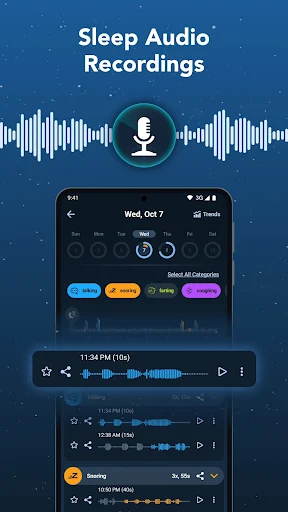
The app relies on an AI detection system that listens exclusively for notable sounds, skipping hours of silence to conserve storage and make review manageable. When you wake up, you can review total snoring duration, check a snore score, and view an hourly chart showing when noise levels peaked. Individual audio clips can be played back, bookmarked for later reference, or shared directly with a partner or medical professional. To fit your environment, you can adjust the microphone’s sensitivity, schedule a delayed start, and leave the app recording in the background while the phone screen remains off.
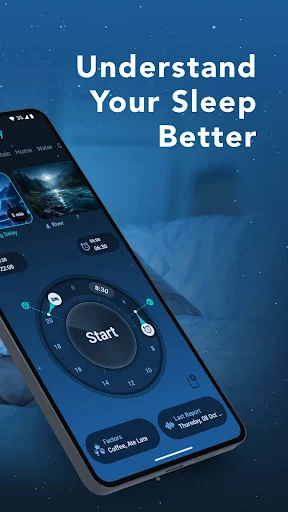
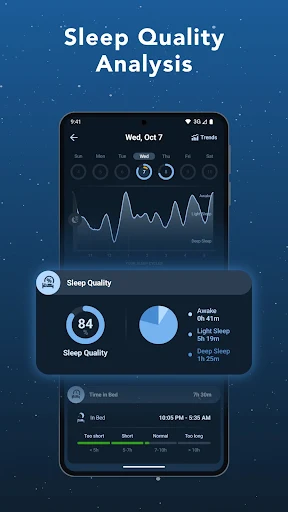
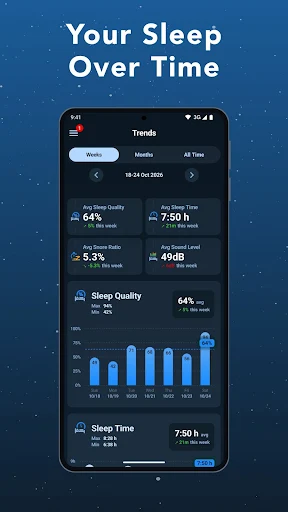
Nighttime data consolidates onto a single summary screen called the Sleep Dial. This view maps your total time in bed against calculated sleep cycles, periods of wakefulness, and recorded snoring events. Beyond daily sleep scores, the app tracks weekly trends so you can observe patterns over time. You can also log daytime factors—such as caffeine consumption, alcohol intake, late meals, stress, exercise, or medication—and rate how you feel each morning to see which specific habits impact your sleep quality.
To ease the transition into sleep, the app includes a library of white noise, rain sounds, and other audio tracks. For waking up, it features a smart alarm that monitors your sleep state within a chosen time window. Instead of sounding at a fixed minute, the alarm triggers during your lightest sleep phase using a gradual volume curve to minimize morning grogginess.
All audio processing and file storage occur locally on your phone, allowing you to delete your complete recording history with a single tap. Because offline processing requires continuous operation, the app performs best when the phone is plugged into a charger, placed roughly 0.5 to 1 meter from your head, and positioned with the microphone pointed toward the bed. Maintaining the same setup across multiple nights ensures your long-term trends remain consistent.
Your comment was submitted and is awaiting moderation.
Your comment was published.