App Screenshots
Vintage console emulation hub for classic games
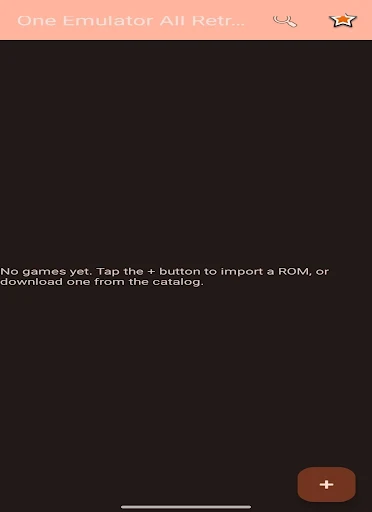
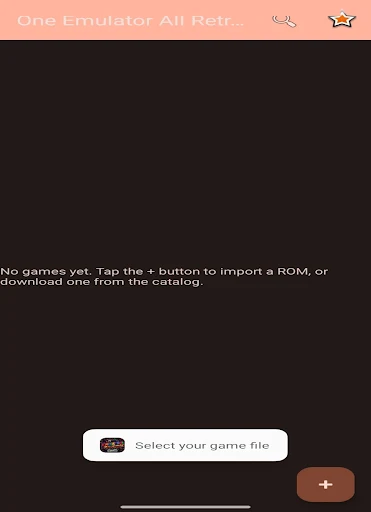
One Emulator All Retro Games serves as a multi-system emulation hub that allows players to run classic 8-bit, 16-bit, and 64-bit console titles on a mobile device. Rather than relying on separate software for different hardware generations, this single platform processes game files for systems ranging from the Game Boy, Super Nintendo, and Nintendo DS to the PlayStation 1, PlayStation Portable, and Nintendo 64. Because the base program does not come with bundled titles, users must supply their own legally owned ROMs, ISOs, or compressed archives to start playing.
The emulation engine targets 60 FPS performance, featuring high-definition resolution upscaling and restored original audio. To run titles across different console eras, the software reads a wide variety of standard backup formats, including .iso, .cso, .bin, .rom, and .smc files, as well as compressed archives in .zip and .7z formats. This broad format compatibility ensures that text-heavy 2D RPGs, fast-paced fighting games, 3D action titles, and arcade platformers function without requiring complex file conversions prior to loading.
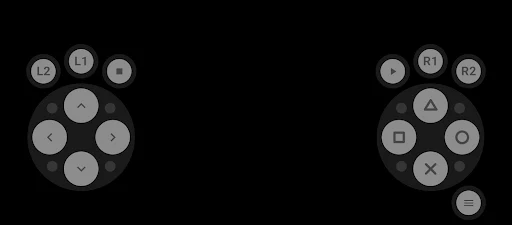
Players interact with games through a fully adjustable virtual gamepad displayed on the screen. The layout of the digital D-pad and action buttons can be resized and repositioned to fit individual hand placement or screen dimensions. For a setup closer to traditional hardware, the software supports external physical hardware, allowing users to pair Bluetooth controllers, joysticks, or external gamepads directly to the device.
Progress can be captured at any moment using dedicated save and load states, which eliminate the need to rely exclusively on original in-game save points. To manage gameplay speed, built-in fast-forward and slow-motion toggles let players skip through extended dialogue sequences or reduce game speed during precision-heavy platforming segments and boss encounters. Additionally, an integrated cheat code engine allows players to input secret codes to grant extra lives, infinite health, or early character unlocks.
Your comment was submitted and is awaiting moderation.
Your comment was published.