App Screenshots

Wedding and event card design tool
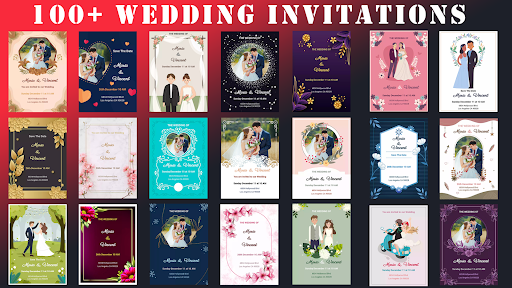
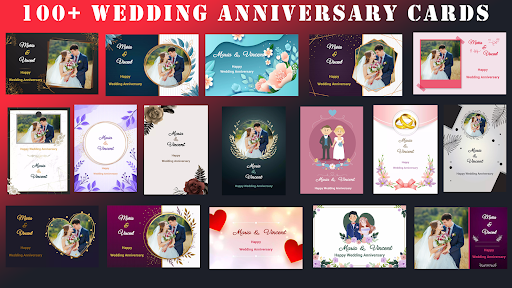
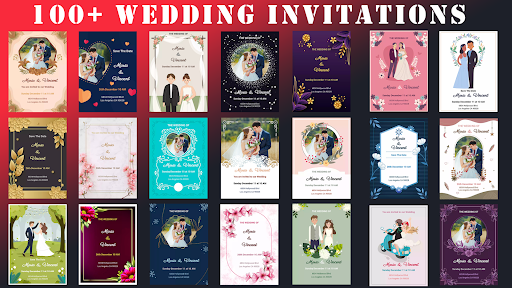
Designing personalized event stationery directly on a mobile device is the primary purpose of Wedding Invitation Card Maker. The app enables users to craft customized invitations for weddings, anniversaries, and birthdays using a library of over 100 pre-designed templates. You can incorporate your own photos, input custom text such as names and date details, and modify layout elements without needing an active internet connection. Once a layout is complete, it can be exported to standard media formats for digital distribution or printing.
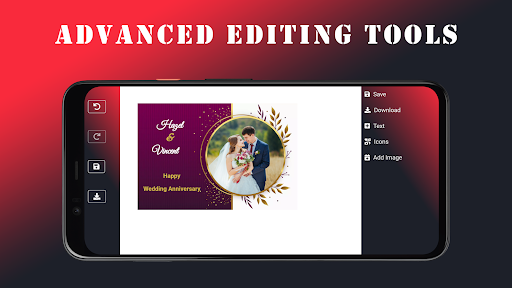
The creation process begins by selecting from more than 100 event templates tailored for weddings and other celebrations. Once a design is loaded into the editor, you can adjust the layout, swap background elements, and select from over 100 available fonts and icons to match the theme of the occasion. The editor allows full customization of text placement and color schemes, giving you full control over how names, venue details, and event dates are presented on the card.
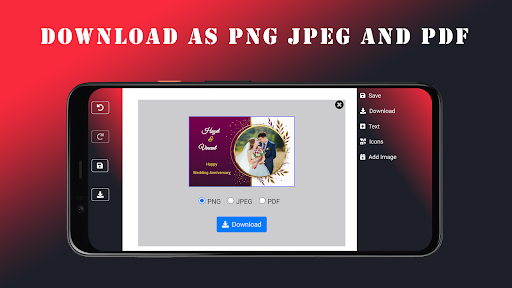
Users can personalize templates further by integrating personal photos directly into the card design. The app supports adding image layers alongside custom text, making it straightforward to build portrait-based announcements or couple-focused wedding invites. When the design is finalized, the app generates digital files with a single tap, saving the invitation directly to your device as a JPEG, PNG, or PDF file.
All core editing features and template tools remain fully accessible without an internet connection, allowing cards to be built or edited anywhere. After saving the design in your preferred file format, the resulting image or document can be shared directly through email or messaging apps to reach guests.
Your comment was submitted and is awaiting moderation.
Your comment was published.