App Screenshots
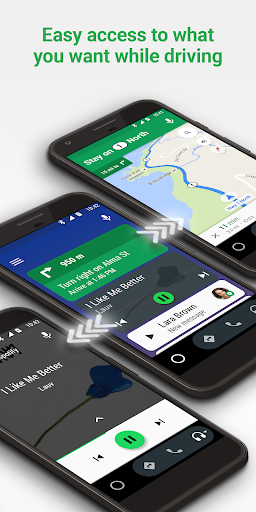

In-car navigation and media control
What's new?
• Bug fixes and other improvements.
• We want to hear from you! Join the conversation in our community https://g.co/androidautocommunity
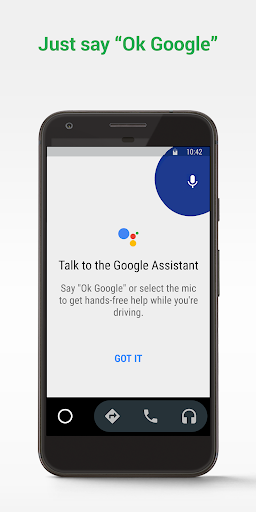
Android Auto transforms your car display into a driver-focused interface that minimizes distraction while keeping you connected. It lets you run turn-by-turn navigation, manage phone calls and messages, and stream audio using enlarged on-screen touch targets or voice commands. Drivers can handle multi-step tasks hands-free using Gemini assistance, such as searching for points of interest along a route while reviewing details from personal messages, without holding their mobile device.
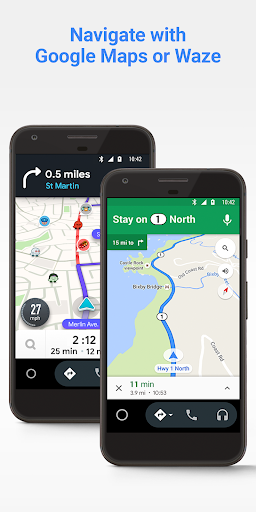
The app projects real-time routing through Google Maps or Waze onto the vehicle’s primary display. Drivers see glanceable cards showing their estimated time of arrival, upcoming turns, and suggested stops. The system accounts for changing road conditions by delivering live traffic updates, lane guidance, and hazard alerts, allowing users to issue voice commands to find faster paths around reported crashes. For electric vehicles, the navigation tools calculate estimated battery levels upon arrival and locate compatible charging stations along the route. Map coverage and specific hazard alerts depend on active mobile data connections.
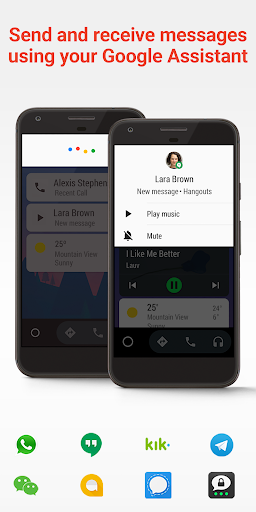
Text notifications and group chat threads are read aloud automatically to help maintain focus on the road. For lengthy group conversations, integrated AI generates summaries that pull out key information. Drivers can reply using pre-set smart response buttons or by dictating messages with their voice. Incoming call banners are designed to keep essential context visible without blocking main navigation views, enabling users to accept, mute, or dismiss calls with a single tap. Functionality varies based on individual notification configurations and the specific messaging app being used.
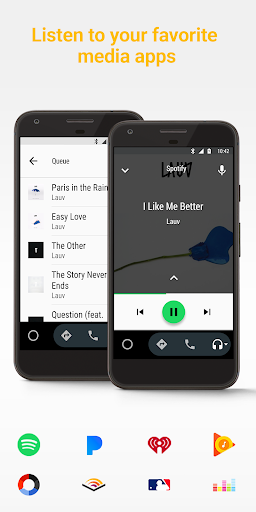
Media playback centers on oversized control cards featuring clear play, pause, and skip controls alongside album artwork. Users can request specific tracks, artists, podcast episodes, or audiobooks from services like Spotify, YouTube Music, and Audible by speaking commands, or browse broad genres and moods. A persistent media card allows quick resuming of paused media, while pre-cached downloads in supported audio apps ensure continuous playback if mobile signal drops in low-reception areas.
Your comment was submitted and is awaiting moderation.
Your comment was published.