App Screenshots




Secure video meetings and calls
Premium features, like AI-powered note-taking and real-time speech-to-speech translation, can help everyone focus on the conversation and bridge language barriers.
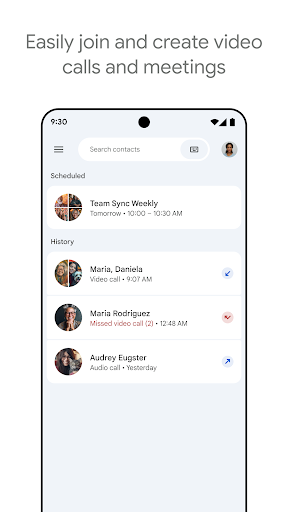
Google Meet enables video and audio calling across smartphones, tablets, and computers, providing a centralized space for online meetings, online classes, and remote collaboration. Users can start or join calls directly, switch to an on-the-go mode to save mobile data while walking, and present content directly from Google Workspace apps like Docs, Sheets, and Slides. Its built-in real-time captions support over 65 languages, helping participants follow along across different native languages or in environments where listening to audio is difficult.
The app automatically adjusts light levels to balance low lighting or harsh backlighting, ensuring your video remains legible in varied environments. During fluctuating network conditions, the system prioritizes audio stability to prevent dropped conversation context. Users facing low bandwidth can manually decrease the video resolution to keep the stream running smoothly. Upgraded plans unlock 1080p video resolutions, noise cancellation to filter out background typing and ambient chatter, and studio-style lighting adjustments.
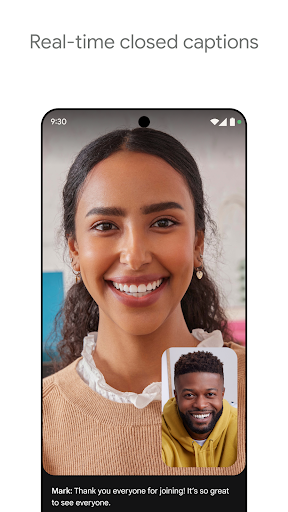
On-screen captions transcribe spoken dialogue in real time so attendees can follow complex discussions. For foreign language communication, translated captions translate spoken words into text across more than 65 supported languages. Captions can be toggled on or off individually on each participant’s device without affecting others on the call. The system’s transcription accuracy depends on clear speaker pacing and avoiding overlapping speech, while specific language availability varies by device and subscription tier.
Participants can initiate or join calls from inside a active document, spreadsheet, or presentation to co-edit files and get direct feedback during a video call. Screen sharing allows users to broadcast their display alongside system audio for demonstrations or training sessions. Interactive elements include live sharing for watching YouTube videos together, applying visual effects and digital backgrounds, and sending emoji reactions during presentations. Upgraded accounts expand capacity to host calls for up to 24 hours, support up to 1000 simultaneous participants, and enable meeting recordings and written transcripts.
Your comment was submitted and is awaiting moderation.
Your comment was published.