App Screenshots

Collaboration platform for meetings and chat
Bug fixes and improvements
Zoom Workplace is a unified collaboration app designed to help teams communicate, share content, and manage meetings across mobile devices, desktop systems, and conference rooms. It consolidates video conferencing, team chat, phone services, cloud docs, virtual whiteboards, email, and calendar tools into a single platform. Built-in artificial intelligence capabilities assist users by drafting messages, generating automated meeting summaries, and compiling personal notes, making it easier to manage daily workflows and catch up on missed communications while working remotely, in the office, or on the go.
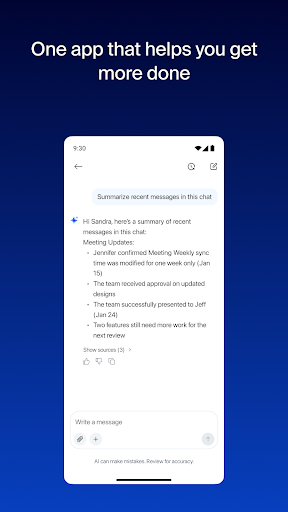
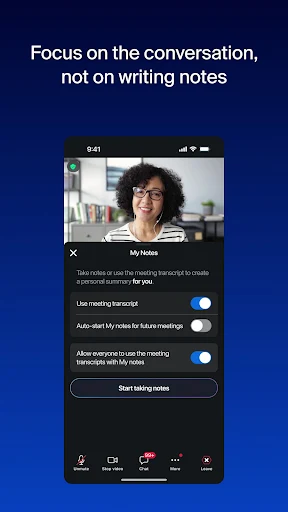
The embedded Zoom AI features assist with routine documentation and communication tasks. During or after a video call, the built-in AI notetaker automatically generates meeting summaries, allowing participants to review key takeaways without manually taking notes. A dedicated feature called My notes helps capture personal action items. In addition, the AI tool understands work context to help draft chat messages and document content quickly, while also summarizing unread messages in Team Chat so users can catch up on lengthy discussions in seconds.
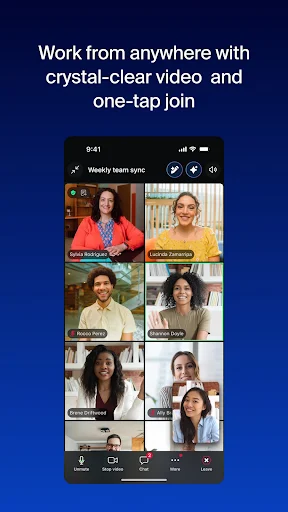
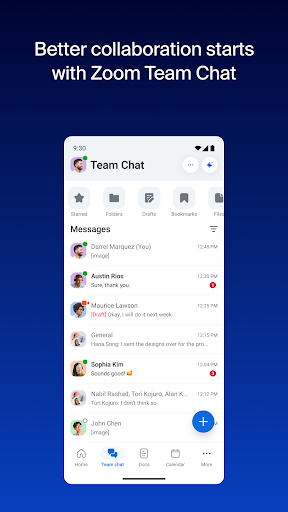
The app brings core communication tools into one interface. Users can schedule or join video meetings with a single tap, switch to Team Chat to send direct or group messages to internal colleagues and external contacts, and place or receive phone calls and SMS text messages using Zoom Phone. To support continuous workflow, live video or phone calls can be transferred to another device with a single tap, and users can start or join a Zoom Rooms meeting to share their screen directly.
Beyond real-time communication, the app includes tools for content creation and team alignment. Teams can create, edit, and share Zoom Docs directly within the platform to maintain centralized project documentation. For visual collaboration, Zoom Whiteboard lets users brainstorm and map out ideas together. Mobile multitasking features, such as Picture in Picture on phones and Split Screen view on tablets, allow users to reference documents or chats while remaining active on a call.
To accommodate mobile use, the app integrates with Hey Google Voice Access commands, enabling hands-free operation for key functions while working on the move. Data protection and user identity are managed through enterprise-grade security standards and single sign-on (SSO) support.
While basic functionality is available for free, certain capabilities require a paid subscription or specific organizational licenses. Features like Zoom Phone, screen sharing to Zoom Rooms, and enterprise SSO depend on account licensing. Additionally, Zoom AI capabilities may not be available across all geographic regions, industry verticals, or plan types.
Upgrading a free account to a Zoom Workplace Pro subscription unlocks extended capabilities, including hosting unlimited meetings for up to 30 hours each, cloud recording storage up to 10GB, and the ability to assign co-hosts or meeting schedulers. Subscriptions purchased through mobile app stores renew automatically unless canceled at least 24 hours before the end of the trial or current billing period, and billing preferences can be managed directly through the user’s store account settings.
Your comment was submitted and is awaiting moderation.
Your comment was published.