App Screenshots
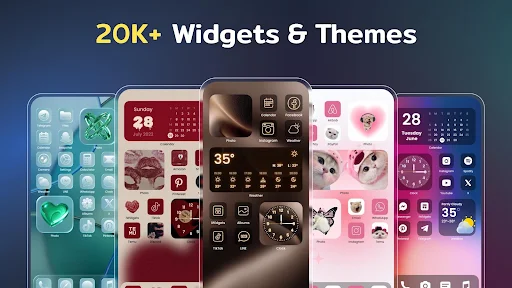
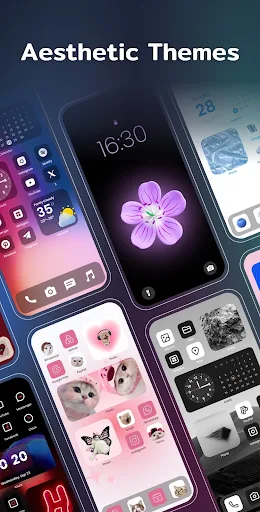
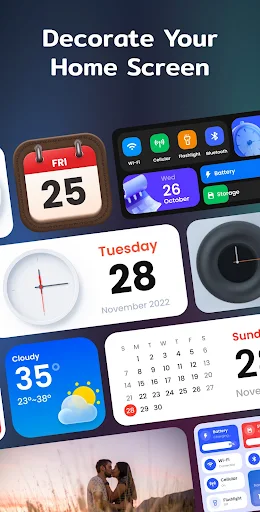
Custom home screen widgets and aesthetic themes
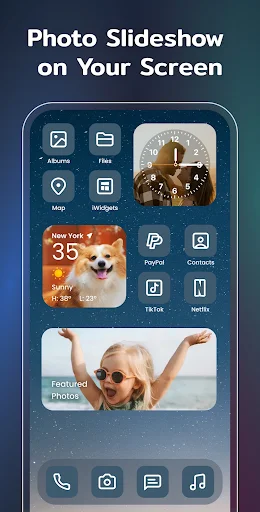
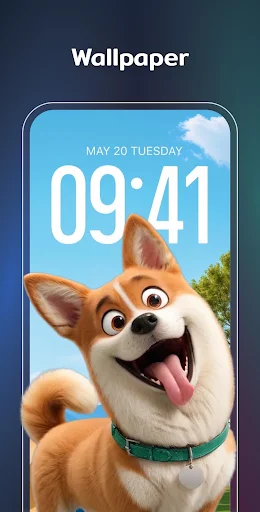
Designing a personalized home screen layout is easier when themes, wallpapers, and desktop tools are grouped together. Color Widgets, Theme: iWidgets provides a collection of customization options that let you swap out standard app icons, set custom wallpapers, and apply themed widgets in small, medium, or large sizes. Beyond purely visual elements, it incorporates functional utility widgets that track device stats, manage local weather forecasts, show upcoming calendar events, and display photo slideshows directly on your display.
The included X-Panel widget compiles hardware information and system controls into a centralized desktop module. Instead of searching through system menus, you can view your current battery level, available storage space, Wi-Fi status, and Bluetooth connections in one place. It also hosts quick-action toggles for common tasks, such as switching your connection states or turning on the device flashlight.
The app features preset visual styles spanning aesthetic categories like neon, anime, and minimalist designs. Applying a theme automatically coordinates your wallpapers with matching icon packs and themed widgets. If you prefer a manual setup, you can customize individual app icons to match a specific look or create a DIY layout from scratch using your preferred visual assets.
For daily planning and media display, the tool includes dedicated modules for time and event tracking. The clock tools offer both digital and analog visual styles, while the event timer widget runs visible countdowns to specific target dates like birthdays and anniversaries. The photo widget lets you feature personal images on your home screen, including a slideshow mode that cycles through chosen photos of family, friends, or pets.
Certain widgets depend on specific system access to load accurate data. The weather widget requires location access to retrieve local forecasts and real-time temperatures, while the photo widget needs storage permissions to read and display images from your device. Future updates to the feature set are slated to include a dedicated to-do list for managing tasks and a notes widget for quick text entries.
Your comment was submitted and is awaiting moderation.
Your comment was published.