App Screenshots
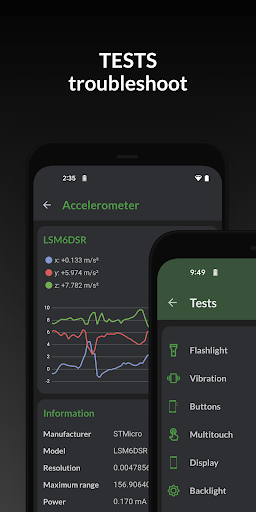

Hardware and system information monitor
5.49:
-support new hardware and devices
-bug fixes and improvements
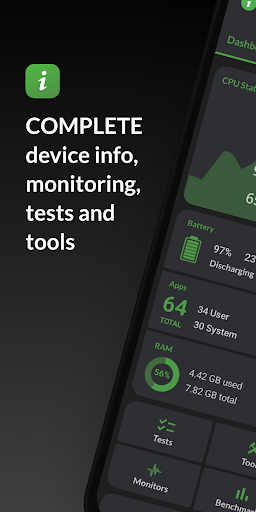
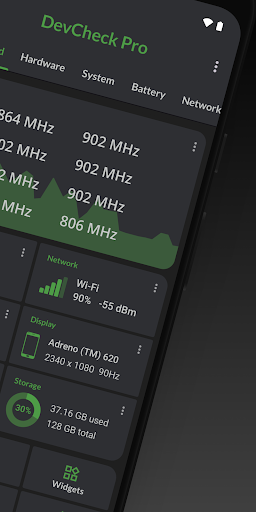
Monitoring internal components and system configurations often requires digging through multiple hidden menus or running diagnostic tools. DevCheck Device & System Info resolves this by consolidating real-time hardware telemetry, component specifications, and performance testing into a centralized dashboard. It monitors CPU frequencies, memory usage, battery metrics, and active network connections, allowing users to assess hardware health, evaluate thermal and power status, and run baseline benchmarks to compare processing capabilities across different mobile devices.
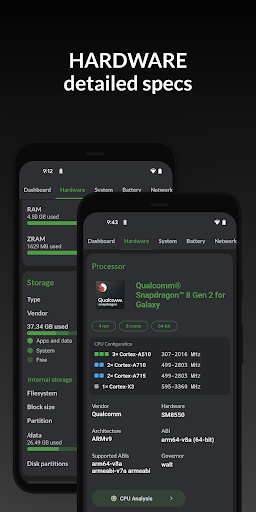
The app provides granular details regarding the device’s System-on-a-Chip (SoC) and processing unit. It displays specific chip names, manufacturers, manufacturing processes, architecture, and core configurations alongside live frequency readouts for individual CPU cores. Users can also inspect memory and storage allocations, Bluetooth capabilities, graphics processing unit (GPU) details, input hardware, and display specifications to confirm the exact physical hardware installed inside their device.
Beyond physical components, the app identifies operating system details and software parameters. It reports the device brand, codename, manufacturer, bootloader, radio version, kernel build, and current Android security patch level. For advanced diagnostics, it can verify root access and KNOX status. The app also supports Shizuku integration and rooted environments, enabling enhanced data access on compatible systems.
The software tracks battery performance by providing live metrics for charge status, current, voltage, wattage, temperature, overall health, technology type, and total capacity. The Pro edition extends this functionality with a dedicated Battery Monitor, which tracks power consumption over time and records screen-on versus screen-off drain statistics to analyze long-term battery behavior.
Network capabilities are monitored across both Wi-Fi and mobile connections. The app details phone and network types, carrier information, public IP addresses, and local IPv4 and IPv6 configurations. Devices equipped with dual-SIM hardware present connection states and technical parameters for both cards simultaneously, making it straightforward to check cellular signal environments and network protocols.
For media and environmental hardware, the app lists all integrated sensors—including accelerometer, gyroscope, proximity, light, and step detector units—showing their manufacturer, power draw, resolution, and live graphical data streams. The camera section breaks down optical and sensor specifications, reporting aperture settings, focal length, ISO range, 35mm equivalent focal lengths, field of view, crop factor, RAW capture support, focus modes, flash configurations, and available image formats.
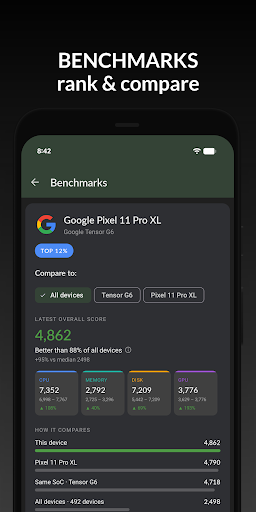
To evaluate relative performance, the app includes built-in benchmarking tools that do not require additional purchases. Users can execute tests on the CPU, GPU, memory, and storage subsystems to generate performance scores, helping determine how hardware handles intense compute loads compared to reference device baselines.
Your comment was submitted and is awaiting moderation.
Your comment was published.