App Screenshots
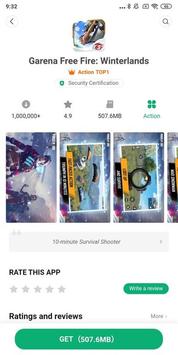
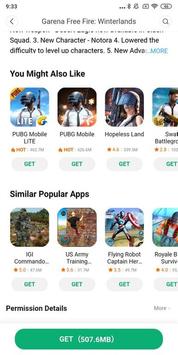
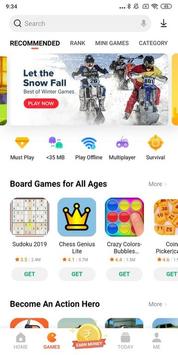

Official software catalog and update manager
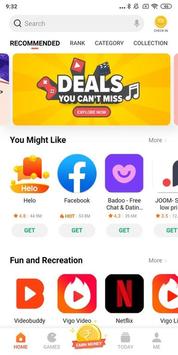
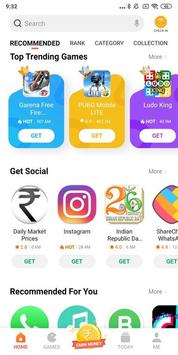
Mi GetApps is an official application marketplace that delivers verified listings, localized app recommendations, and a centralized updates system. It allows users to browse popular social, communication, entertainment, and utility apps such as WhatsApp, Instagram, TikTok, and Netflix through dedicated discovery feeds. Built-in management features streamline digital software libraries by handling installation prompts, monitoring live downloads, and batch-refreshing outdated applications over a network connection.
Finding specific applications or discovering new software relies on categorized feeds designed around regional availability and device specifications. The Recommend tab highlights timely suggestions based on language and location, while dedicated Category and Games tabs narrow down the catalog for specific software types. Each app listing details product descriptions, version specifics, and interface screenshots directly on the page, allowing users to evaluate software before initiating a download without switching to an external browser. When a specific title is unavailable in a particular market, browsing relevant categories surfaces regional alternatives that serve similar functions.
The integrated download manager brings installation and library upkeep into a single location. Tapping a download button displays progress within the interface without unnecessary screen clutter, finishing through the standard system installation prompt. The Profile section contains an All Downloads view to track active and queued items during multitasking, allowing users to pause, clear, or retry downloads if a queue stalls. To keep an app library current, the Manage or Updates tab aggregates pending updates so entire suites of software can be batch-refreshed together over Wi‑Fi. If installation errors occur, clearing the local cache for system installer components often restores standard performance.
Your comment was submitted and is awaiting moderation.
Your comment was published.