App Screenshots
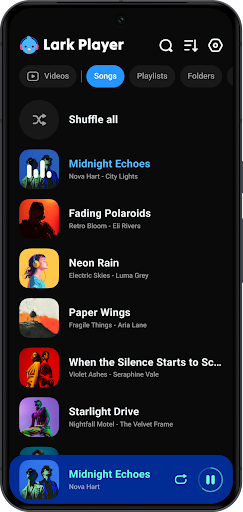
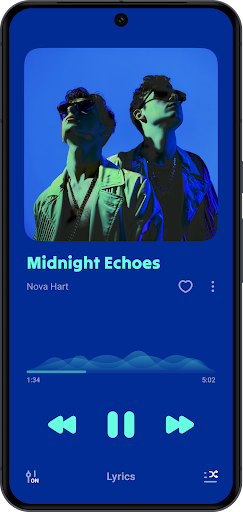
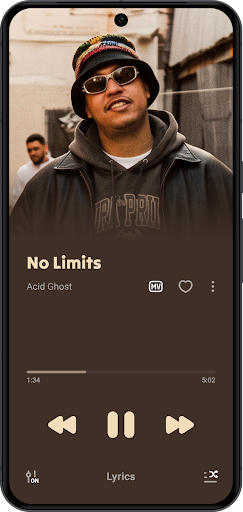
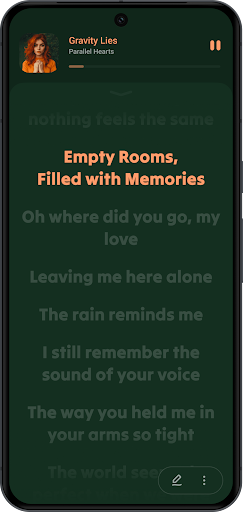

Offline music and video media player
Refreshed the player with cover-matched colors, refined lyrics, animated controls, and smoother transitions
Added an easier-to-discover Music Visualizer with four styles
Improved landscape and MV playback experiences
Made multi-select faster with press-and-drag selection
Resolved technical issues to improve playback stability
Managing locally stored media often requires juggling separate tools for audio and video, but Lark Player:Music Player & MP3 combines both into a single offline playback tool. Beyond simply playing stored files, it allows you to adjust audio output using built-in equalizer presets, display matching lyrics alongside your tracks, and organize your media library by artists, albums, or custom playlists. It also includes a floating player window, enabling you to continue watching a video or listening to music while navigating other tools on your device.
The app functions as a unified media hub for files saved directly to your phone. For audio, it plays common and high-fidelity formats including MP3, WAV, FLAC, AAC, M4A, ACC, AC3, and MIDI. On the video side, it renders files in MP4, 3GP, WEBM, MOV, and MKV formats. This broad file support removes the need to maintain different apps for separate media types, letting you access your entire offline library from one place.
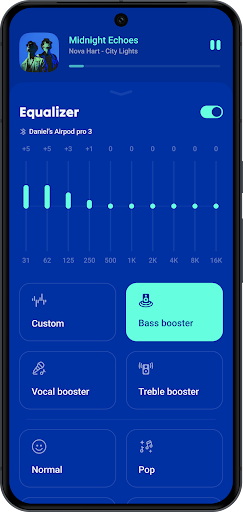
To tailor your listening experience, the app incorporates a multi-band equalizer featuring preset modes for genres like Rock, Pop, Jazz, Hip-hop, Classical, Dance, Heavy Metal, Folk, and Flat. You can further tweak the audio output using manual controls for bass enhancement, reverb settings, and sound field adjustments. For vocal tracks, the integrated lyrics feature matches lyrics with your offline audio files, displaying the text on screen in sync with the music.
When you need to use other applications without stopping your media, the floating playback window provides an adjustable overlay. You can resize this picture-in-picture style player and position it anywhere on your screen. This allows you to watch videos or keep track of playback while sending messages, browsing, or working in separate apps.
Organizing your offline library is straightforward through categorical views that sort your media by song title, artist, album, genre, or local file folder. You can create custom playlists directly within the app or delete unnecessary files from your local storage. For daily playback control, it includes standard options to shuffle, order, or loop tracks, run audio in the background via the notification bar, set a sleep timer to automatically stop playback, switch between light and dark visual themes, and set local audio files as your device ringtone.
Your comment was submitted and is awaiting moderation.
Your comment was published.