App Screenshots

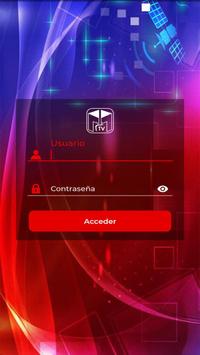

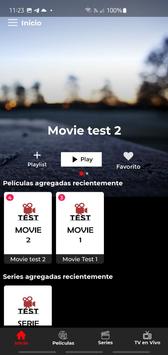
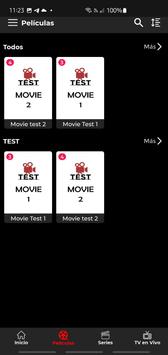

IPTV streaming player for live television and media
Versión lanzada el 24/05/2024.
Streaming live channels, catchup programming, movies, and TV series from an external IPTV service provider is the primary function of MegaxTV. Built to operate on connected setups like Fire TV Sticks, Nvidia Shield TV, and standard media boxes, the app organizes incoming streams into clear media categories rather than forcing users to navigate unsorted lists. Alongside media playback, it provides native utility tools—such as a built-in speed test and playlist management—to manage network performance and content sources within a single interface.
Media streams imported into the player are automatically separated into distinct groups for Live TV, Series, Movies, and TV Catchup. To help users navigate broadcast schedules, the app supports both internal and external Electronic Program Guides (EPG). Users can browse channel schedules, mark frequently watched streams as favorites, or locate specific titles using the global search function. For larger libraries, the interface includes sorting options to arrange content alphabetically, by recent modifications, or by newly added entries.
The app includes a built-in media player compatible with standard audio and video codecs, but it also allows users to hand off streams to external player software. Built-in recording functionality lets users save stream segments directly through the interface, while Chromecast support enables casting streams to secondary displays. For family environments, integrated parental control settings allow restricted access to specific channels or content categories.
Beyond basic playback, the app offers several configuration tools to alter interface layout and visual themes. Users managing multiple streams can run an in-app speed test to check current connection performance before starting high-bitrate playback. The app also supports multi-language interfaces and self-managed playlists, giving users direct control over how their service provider’s credentials and links are loaded.
Your comment was submitted and is awaiting moderation.
Your comment was published.