App Screenshots
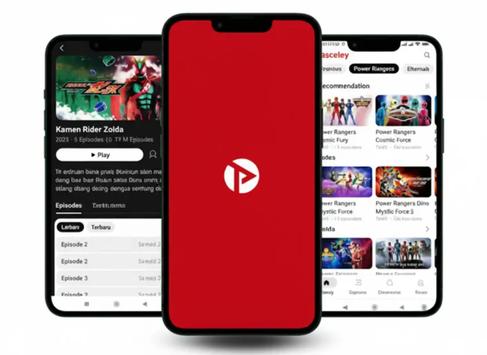


Tokusatsu streaming catalog and media player
Finding a single platform dedicated to Japanese superhero and monster media can be frustrating, as major streaming services rarely carry deep catalogs of Tokusatsu titles. Tokuplay acts as a focused media streaming app that consolidates full series, feature films, V-Cinema releases, and spin-offs across franchises like Kamen Rider, Super Sentai, Ultraman, and Power Rangers. Beyond simply cataloging these shows, it provides adaptive playback up to 4K resolution, casting capabilities to larger screens, multi-language subtitles, and local downloads to watch episodes on the go without relying on an active internet connection.
Instead of burying Tokusatsu shows under broad action or sci-fi categories, the interface structures its catalog directly around major sub-genres and eras. The main hub highlights key franchises right at the top, leading directly into dedicated series hubs equipped with story summaries and episode guides. Built-in filters allow users to narrow down titles by release period, specific genre tags, or overall popularity. For multi-part sagas, custom playlists make it possible to line up a sequence of movies, side stories, and spin-offs without manually hunting down each entry between episodes. An auto-next binge mode handles transitions between episodes automatically, while integrated notifications alert viewers when new titles or early releases drop into the catalog.
Video delivery adjusts automatically based on current network bandwidth, scaling up to 4K resolution when a strong connection is present. Viewers can also override automatic adjustments through a manual quality selector, locking the stream into HD, Full HD, or 4K to suit their data limits or network stability. For living room viewing, the app supports wireless transmission to external displays via Chromecast alongside native integration for Android TV setups.
To support viewing away from home, episodes and feature films can be downloaded directly within the app on mobile devices and tablets, providing complete offline access during travel or in areas with unstable cell coverage. User progress is linked to an account profile, allowing smooth cross-device continuity. For instance, a viewer can pause an episode on a tablet during a commute and resume playback from the exact same timestamp on an Android TV device later that evening. Parental control options are also available to help manage catalog visibility across shared family accounts.
Your comment was submitted and is awaiting moderation.
Your comment was published.