App Screenshots
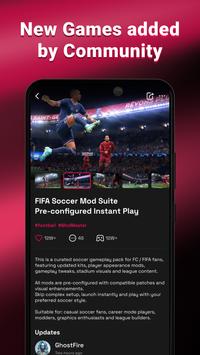
Cloud gaming and remote PC streaming service.
• Added Google web sign-in for broader device compatibility.
• Added AV1 hardware decoding on supported devices.
• Improved game startup for a smoother experience.
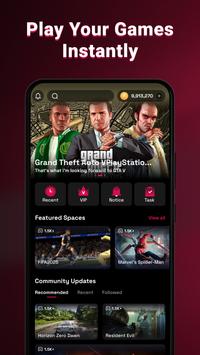
Real-time streaming through Cinex: Cloud Gaming PC Games allows users to run demanding PC titles on a mobile phone or tablet. By rendering software on remote cloud computers and broadcasting the interactive video feed back to the device, the app turns mobile hardware into a virtual cloud PC. This setup allows players to access their libraries from Steam, Epic Games, and other major platforms, running high-spec games without relying on local hardware performance.
The service connects directly to major digital storefronts, enabling real-time streaming for titles from Steam, Epic Games, and other PC launchers. Players can launch resource-intensive releases across numerous genres, including open-world action games like Red Dead Redemption 2 and Cyberpunk 2077, RPGs such as Elden Ring, simulation titles like BeamNG.drive and The Sims 4, as well as competitive sports and racing titles like EA SPORTS FC and Forza Horizon 5. Because the game files run on external servers, users can switch between different titles without allocating local disk space.
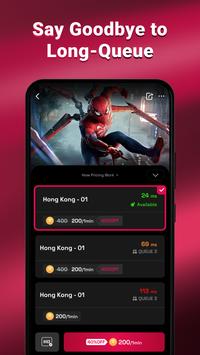
To reduce friction before a play session, the architecture is designed to minimize server queue times and speed up initial game loading. Streams rely on an adaptive delivery system tuned for low-latency feedback across various genres, including fast-paced FPS, fighting games like Mortal Kombat 11, and action titles like Devil May Cry 5. The backend infrastructure maintains data centers optimized for connections across North America, South America, Europe, and Southeast Asia over compatible 5G and Wi-Fi networks.
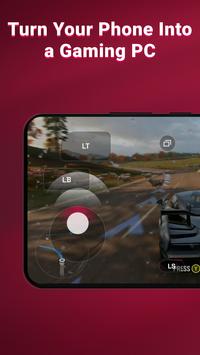
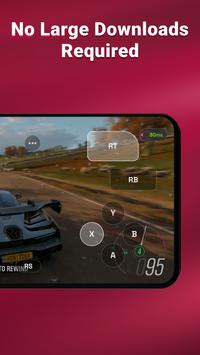
Because the application handles all processing remotely, large installations and patch downloads are completely eliminated on the local device, preserving mobile storage and limiting battery drain associated with local rendering. To control games, users can rely on an on-screen virtual game controller with customizable button layouts and touch controls. For a setup closer to standard hardware, the app also supports external Bluetooth controllers.
Your comment was submitted and is awaiting moderation.
Your comment was published.