App Screenshots
Live microphone and voice amplifier
Version 4.9.0:
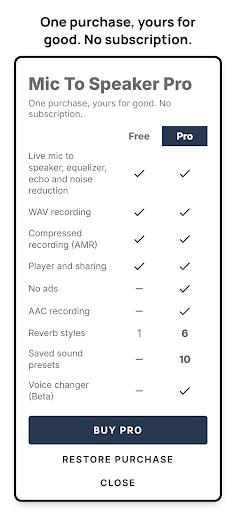
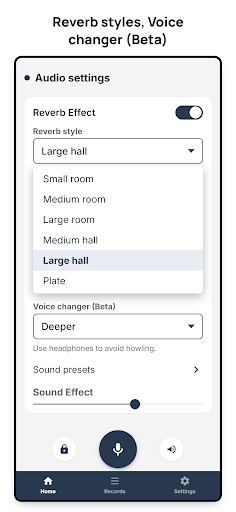
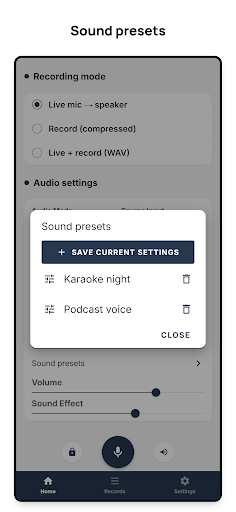
• New Pro, one-time purchase (no subscription): no ads, AAC (.m4a) recording, 6 reverb styles, up to 10 saved presets, voice changer (Beta)
• New How to use guide: tap the question mark next to Audio settings, or open it in Settings
• Apply a preset with one tap and undo it.
• Free stays free with ads. Watching a video still removes ads for 3 hours
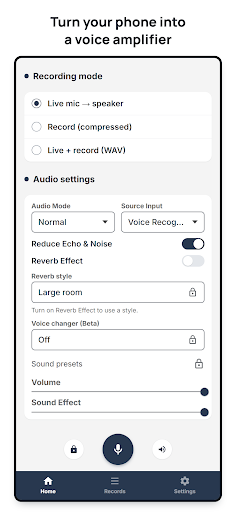
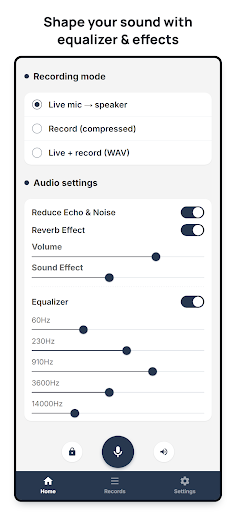
Transforming a mobile device into a live public address system, Mic To Speaker: Karaoke Mic captures input from a smartphone microphone or a connected Bluetooth headset and passes the audio directly to the built-in speaker with minimal delay. Designed for casual singing, vocal practice, and public amplification at gatherings, the app eliminates the need for dedicated audio hardware. It incorporates real-time voice processing, simple audio recording modes, and options to play back or distribute recordings right from the interface.
The primary function of the app is its live passthrough system, which takes incoming sound from your selected microphone source—either the phone’s built-in mic or a paired Bluetooth headset—and routes it immediately to the speaker. This setup functions as a lightweight voice amplifier or megaphone. An integrated toggle for echo and noise reduction helps clean up the signal to minimize unwanted background sound during live monitoring.
To enhance live vocals during karaoke or practice sessions, the app provides standard audio processing tools. A built-in equalizer allows users to adjust sound frequencies, while reverb effects add depth to the voice output. The free tier includes access to these core processing capabilities, including a Sound Effect control level for the reverb. A Pro upgrade option expands the effect library further, unlocking six distinct reverb styles, ten customizable sound preset slots, and a beta voice changer feature with adjustable high and deep pitch settings that work best when using headphones.
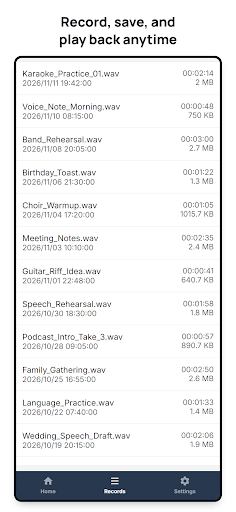
Beyond live amplification, the software functions as a voice recorder offering two distinct formats. Users can record audio in a compressed format to conserve storage space or capture uncompressed WAV files when higher quality is required. An integrated player allows for immediate playback and file management within the app. Recorded files can then be shared directly using email or other applications installed on the device. Upgrading to the Pro version also unlocks the option to record in the AAC (.m4a) format.
The app is free to use with advertising, which covers access to the live mic passthrough, equalizer, reverb controls, noise reduction, WAV and compressed recording modes, and sharing tools. Users can temporarily turn off all ads for a three-hour window by watching a single short video. Alternatively, a one-time Pro purchase removes ads permanently without requiring a recurring subscription. The app is available in 66 languages and includes a built-in guide explaining how to configure the audio settings.
Your comment was submitted and is awaiting moderation.
Your comment was published.