App Screenshots



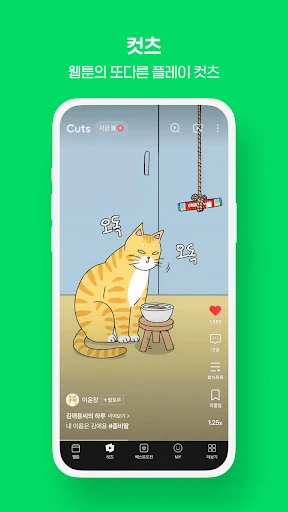


Daily digital comic reader
[v2.49.1]
- 버그 수정 및 안정성 개선
Reading digital comics on a daily schedule requires a convenient way to track updates and manage your library. The 네이버 웹툰 – Naver Webtoon app lets you browse and read a continuously updated catalog of webtoons directly from your mobile device. You can sort titles by view count, popularity, or recent updates to find ongoing series, receive alerts when new chapters are published, and temporarily save episodes to read without an active internet connection.
Finding specific series within the catalog relies on built-in sorting options. You can organize the available webtoons by their total view count, current popularity, or the date of their latest update. This makes it straightforward to track down trending titles or check which series have published new content on a given day.
The app automatically tracks your reading progress to streamline multi-chapter sessions. Through the menu interface, you can access your reading history to jump directly back to the last page you viewed in any series. For offline reading, the app includes a temporary save feature that stores webtoon episodes on your device for up to 48 hours, allowing you to read saved chapters without using cellular data or Wi-Fi.
To keep up with ongoing series, you can enable push notifications for specific titles. The app sends an alert as soon as a bookmarked webtoon publishes a new chapter. If you encounter technical issues or have questions while using these features, customer support is accessible directly through the app settings menu or via the web-based NAVER Webtoons Customer Center.
Your comment was submitted and is awaiting moderation.
Your comment was published.