App Screenshots



Vertical manga and webtoon reader
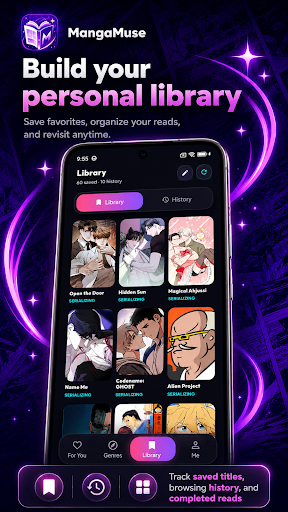
Finding new manga and webtoons to read often involves scrolling through crowded indexes, but MangaMuse:AceToon Lite & Comic simplifies discovery by using a swipe-based recommendation deck to browse titles, instantly save bookmarks, or skip to the next option. The app functions as a dedicated digital reader and organizer, featuring localized translations across five languages and a dark glassmorphism interface designed for comfortable reading. Users can search for ongoing or completed series, manage a personal bookshelf, and track their reading history across continuous vertical chapters.
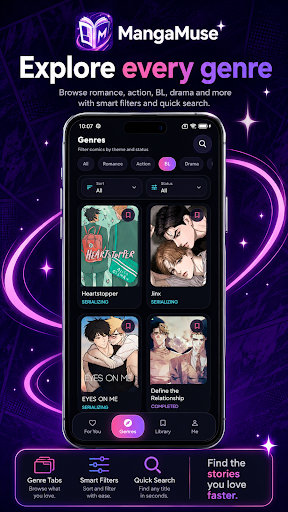
Instead of relying solely on standard directory lists, the app introduces a For You stack of cards to help readers discover new material. Swiping through these cards allows users to immediately add a story to their library or clear the current deck to generate a fresh batch of recommendations. For a more targeted search, readers can filter the broader catalog by popularity, specific genres, or serialization status, making it easier to track down completed works or currently publishing series using keyword searches.
The built-in reader is optimized for standard webtoon and mobile comic layouts, utilizing smooth vertical scrolling to navigate through chapters. Readers can tap the screen at any time to hide the interface elements for an unobstructed view of the page artwork. Before starting a new title, users can review metadata such as cover art, author details, serialization status, and story summaries. The app automatically tracks reading history, allowing users to return directly to the specific page where they left off while maintaining an editable personal bookshelf.
To accommodate an international audience, the app provides localized interface settings and translations in English, Spanish, French, Portuguese, and Russian. If readers encounter missing pages, loading delays, or translation errors while using the app, they can submit reports directly from inside the reader interface. This feedback tool includes support for attaching screenshots, allowing users to point out specific bugs or chapter issues as they read.
Your comment was submitted and is awaiting moderation.
Your comment was published.