App Screenshots

In-vehicle screen casting and media integration tool
* Improved connectivity with Android 17, screen resizing, multi-touch handling, and keyboard behavior after driving restrictions are lifted. Dropped support for Android 11.
* Fixed black screen issues, Wi-Fi and connection stability, Cast and projection bugs, driver distraction messages, media playback issues, Chinese keyboard input, and app crashes.
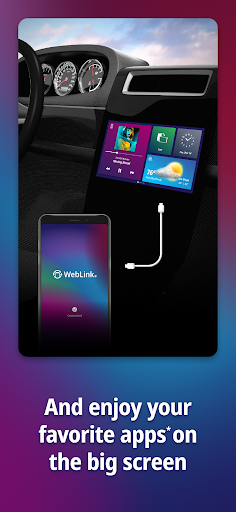
Connecting a smartphone to an in-vehicle screen through WebLink Host transforms the car display into an interactive interface for accessing media, navigation, and mobile apps. Rather than relying entirely on built-in car software, the app uses the smartphone’s processing power to drive compatible content on the larger display. Its standout capability is screen casting, which enables drivers and passengers to project supported applications and watch YouTube videos directly on the dashboard screen, provided the vehicle manufacturer allows that specific functionality.
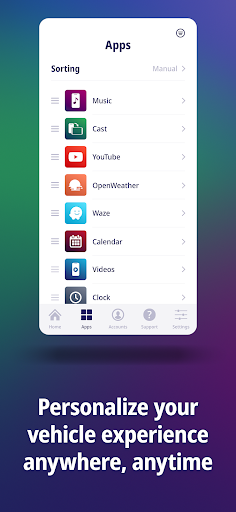
By casting phone content directly to the dashboard, the app allows users to access broad smartphone media alongside specific services like YouTube, Waze, Yelp, and music players. Content selection depends on regional availability and manufacturer settings, as some screen makers place restrictions on which applications can be used while connected.
Establishing a working setup requires physical and wireless connections between the phone and the car. Data communication and charging demand a certified USB cable plugged directly into the compatible display. To route full sound playback through the vehicle’s speakers, the smartphone must also be paired to the car system using Bluetooth. Drivers can check for a physical logo on the display packaging or review their owner’s manual to confirm hardware compatibility.
To manage projected applications directly from the dashboard, the app utilizes Android’s Accessibility API. This integration grants touch controls on the external display while the phone remains connected, letting users navigate menus without picking up their device. The Accessibility API operates solely to support this external screen touch passthrough and does not alter underlying device settings.
Your comment was submitted and is awaiting moderation.
Your comment was published.