App Screenshots
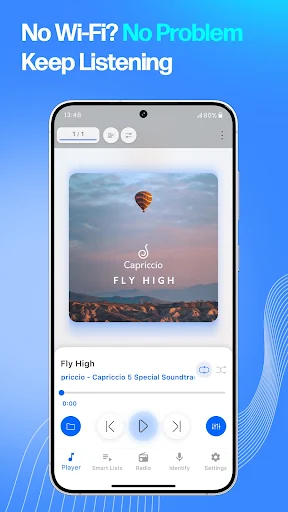
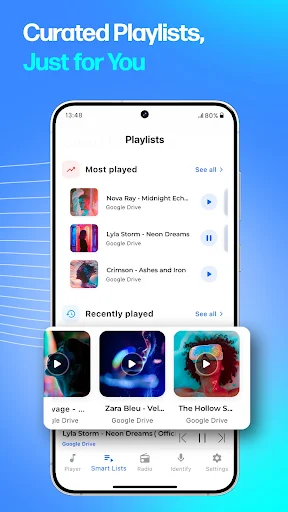
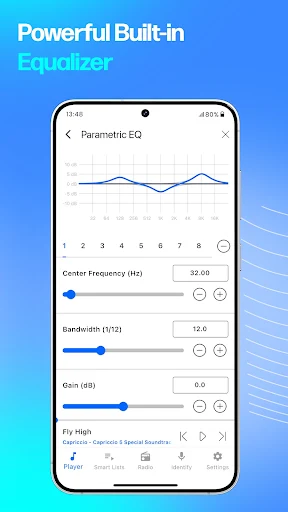

Customizable music player for local and cloud files
Your profile is here:
• Choose an avatar and color
• Show your country
• Usernames now keep capital letters
• Translation improvements and small fixes
Capriccio is an audio playback app that allows users to stream or locally play music while customizing their listening experience through built-in sound effects. It works with standard media libraries, local device storage, and direct network connections to cloud services or remote servers. By combining extensive file format compatibility with study-focused tools and flexible library management, it gives users complete control over how they organize, adjust, and listen to their audio collections.
The app plays a broad range of legacy and high-fidelity file formats, including MP3, AAC, FLAC, APE, WV, MPC, WAV, OGG, AIFF, CAF, MID, and OPUS. Users can access their track collection directly through their local media library, browse internal storage folders, or link to external storage options. Built-in network integration allows direct streaming and file management from Google Drive, Box, Dropbox, OneDrive, FTP servers, and WebDAV connections.
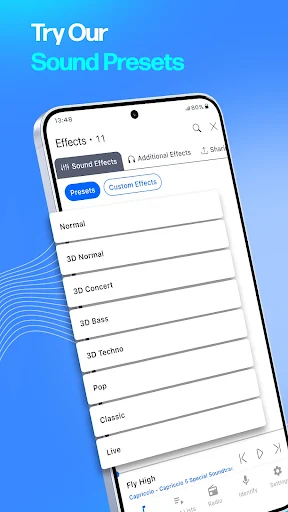
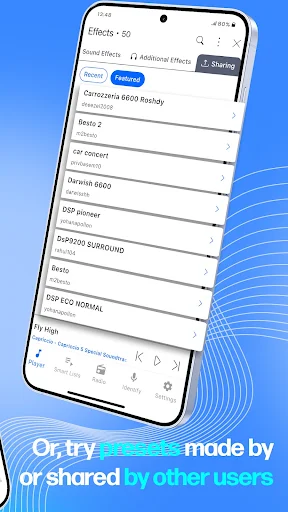
Audio output can be modified using standard and 3D sound processing tools. Users can set up queue-based sound effect presets to adapt playback based on their current playlist, or browse thousands of community-crafted audio profiles through the Effect Sharing hub. These adjustments allow fine-tuning of the frequency response and spatial feel for different headphones or speaker setups.
Beyond basic playback, the app functions as a media file manager. Users can create, edit, and organize playlists, or structure their storage directly by creating folders, moving, copying, renaming, and deleting files within the app. The library automatically categorizes media by artist, album, genre, and other standard metadata tags, while also reading and displaying embedded lyrics within supported audio files.
For learning languages or practicing music, the app includes dedicated study tools. Users can isolate specific sections of a track using A-B repeat, adjust playback speed without affecting the pitch, or change the pitch independently. Playback can be handled via lock screen widgets or remote control interfaces, and built-in options include a sleep timer and a feature to prevent the screen from turning off during use.
Your comment was submitted and is awaiting moderation.
Your comment was published.