App Screenshots

Chinese animation video streaming player
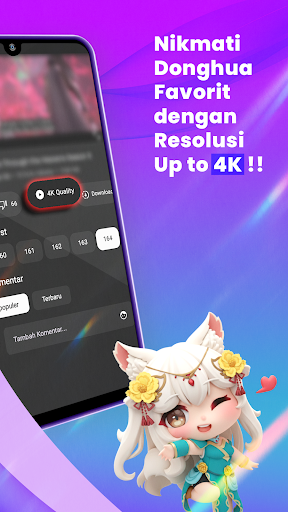
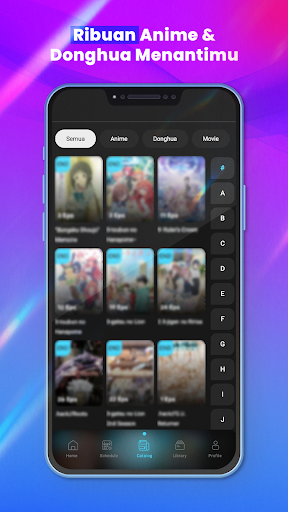
Streaming continuous series and new animation releases without creating an account or paying for a subscription is the main workflow of Donghive – Nonton Donghua. The app provides direct access to a catalog of anime and donghua, featuring daily episode release schedules and an integrated video player. Viewers can adjust stream resolution on the fly, select from multiple subtitle languages, or save videos locally to keep watching episodes when internet access is unavailable.
Playback within the app begins without pop-ups or video advertisements interrupting the stream. The built-in player features standard controls for play, pause, seeking, and volume adjustment. To accommodate varying network speeds, the player includes quality settings that allow users to scale down from HD resolution to lower options, helping prevent buffering issues on unstable or public Wi-Fi networks. Automated background server selection works to keep the video stream stable, while manually dropping the resolution serves as a practical workaround if server loads or regional connection constraints cause playback stalls.
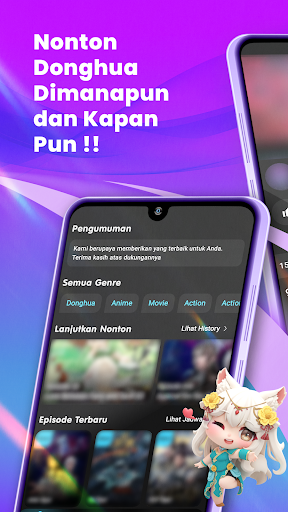
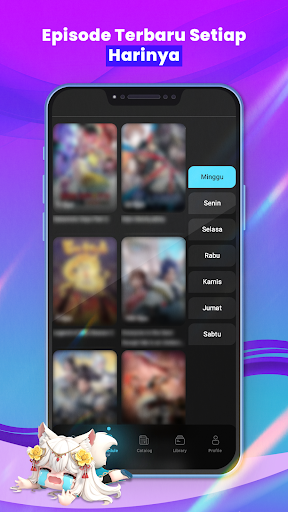
The main catalog organizes shows into distinct genre rows, including action, romance, and drama, alongside a real-time feed of recent uploads. A day-based schedule layout displays which shows drop on specific days of the week, helping users keep track of ongoing seasonal series. When looking for a specific show, a search bar at the top of the interface accepts exact titles to locate episodes immediately. To help manage longer series across multiple viewing sessions, the app includes a bookmarking tool to save favorite titles and a watch history feature that records progress so users can resume where they stopped.
The embedded player supports localized text tracks for international viewers. Tapping the dedicated CC button inside the media player opens a selection menu containing options for English, Thai, Chinese, Japanese, Korean, and Indonesian subtitles. Viewers can switch languages instantly to read dialogue in their preferred language while watching an episode.
For situations where data usage must be limited or connection access is lost, the app includes a download feature. Content can be saved directly to the device’s storage for offline viewing. Combined with saved bookmarks and history tracking, the offline mode allows users to keep up with saved series while traveling or away from stable network connections.
Your comment was submitted and is awaiting moderation.
Your comment was published.