App Screenshots

Cloud gaming catalog and launcher
Updated the profile header, added tags to game details, and removed duplicate Start Game buttons.
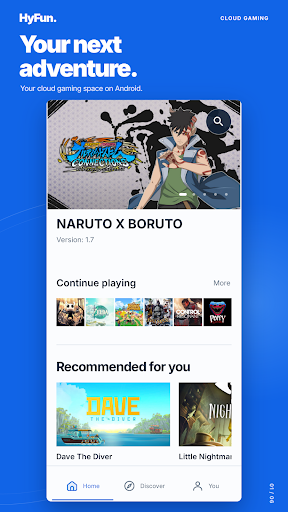
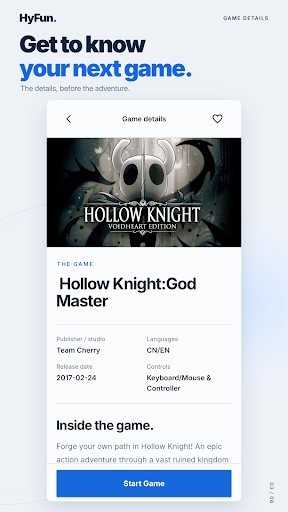
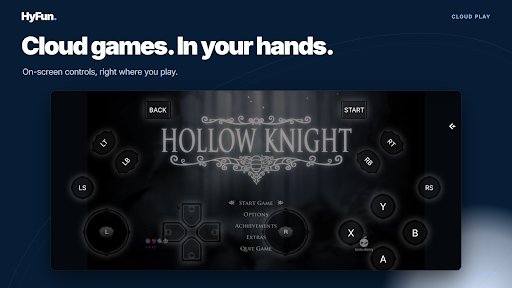
Streaming titles directly through HyFun: Cloud Gaming eliminates the need to install massive files, letting you jump into your next session using a simple catalog interface. Beyond starting stream sessions, the app acts as a central hub where you can evaluate titles before playing by checking detailed overviews, language availability, and compatible control methods. It features adaptive control setups, including configurable on-screen touch inputs and support for hardware accessories like a keyboard and mouse.
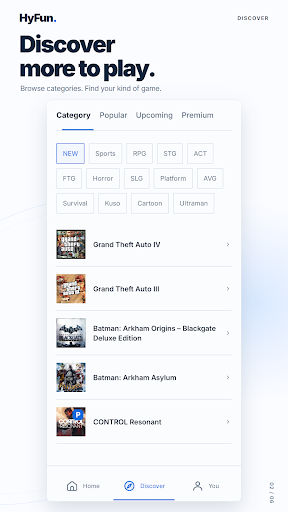
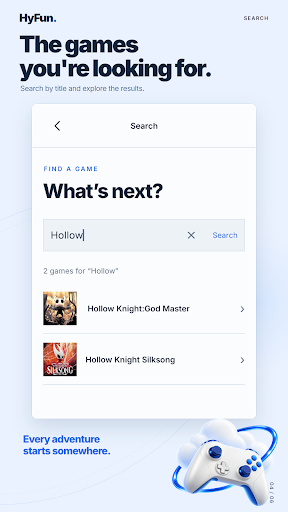
Browsing through available games takes place within a single multi-tab layout designed to help you decide what to launch. You can discover new titles on the primary home screen, explore organized categories, or search directly for specific games by name. Each title page includes background information detailing the game’s premise, supported audio and interface languages, and compatible input options, ensuring you know whether a title fits your preferences before initiating a cloud stream.
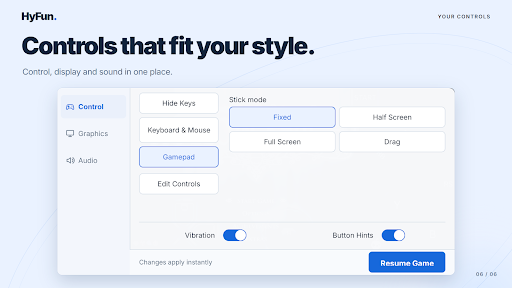
Once a game is running from the cloud, you can interact with it using built-in touch controls directly on your device display. If you prefer standard computer peripherals, the app also supports mouse and keyboard configurations. A set of internal menus lets you tweak available control layouts, display output settings, and sound levels to balance your play environment against your current physical hardware.
Because the platform relies entirely on remote streaming, maintaining a stable internet connection is essential for consistent performance. Access to specific titles, account features, and membership options depends on your region. Details regarding current play-time limits and active membership tiers must be reviewed directly inside the interface, as available stream access varies based on your account status.
Your comment was submitted and is awaiting moderation.
Your comment was published.