App Screenshots

AI video and image creation tool
Phant AI: AI Video&image Maker is a visual content creation app designed to convert static photographs into animated video clips and generate motion from text prompts. Users can animate single images, create interactions between two separate photos, or construct short video scenes using descriptive text commands. It stands out by featuring dedicated keyframe anchoring controls in its image-animation workflow, allowing users to stabilize starting and ending frames to keep subjects and facial features consistent throughout a generated clip.
The app includes an AI Hug & Kiss feature that merges two distinct portrait photos into a single animated video showing an embrace or a kiss. By matching the facial features and body proportions of the subjects in both images, it renders motion designed for couples, friends, or social media clips. Users can access this through the Explore tab under the Emotions template category by uploading two clear source photos. Generating these clips requires credits, and the final quality depends heavily on the input lighting and angles. Using plain backgrounds and photos shot from similar camera positions produces the most consistent results.
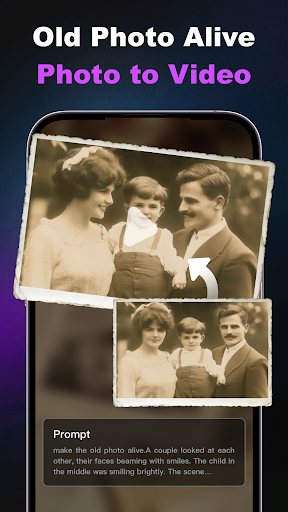
Static images such as old family photos, product shots, or cosplay pictures can be converted into short motion sequences using the Image to Video function. Users select an aspect ratio and can optionally apply Key Frame Control, a tool that sets specific start and finish anchors for the clip. Defining these initial and final frames creates smoother transitions, prevents facial distortion, and helps maintain visual continuity, making it useful for product spins, fashion poses, or looping media. While setting keyframes adds extra steps to the setup, the feature can be skipped for more spontaneous animations. Low-resolution source files or cluttered backgrounds may still lead to unsteady motion, so higher-quality inputs are recommended.
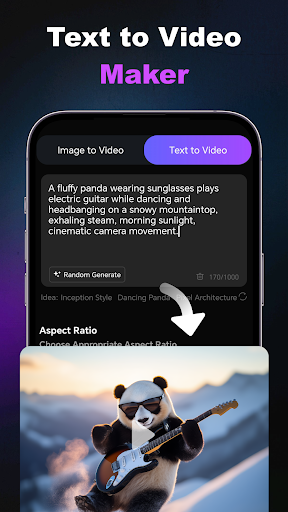
The Text to Video workflow creates motion clips directly from written descriptions. Users enter a detailed prompt, select a duration and aspect ratio, and choose a render style or processing model, such as Phant 1.5. Prompts that use specific action verbs tend to yield clearer results. Rendering longer scenes can take additional time and consumes credits or inspiration values, which should be checked prior to generating. If the initial output does not match expectations, modifying the prompt text or switching to a different visual style adjusts the final clip.
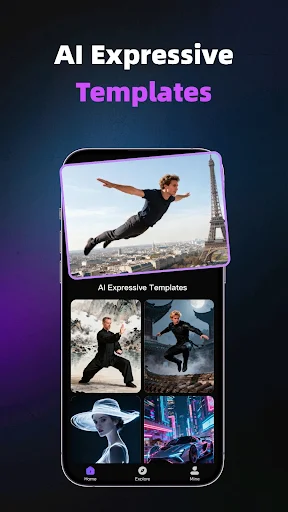
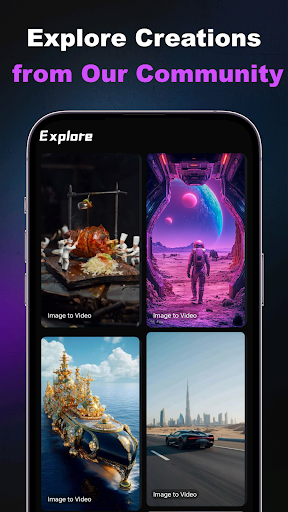
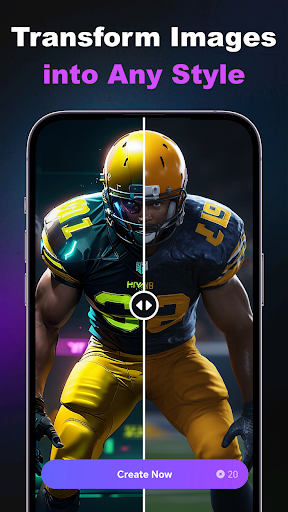
The Explore tab serves as a central hub for built-in effects and pre-made templates, organizing over 40 styles into categories like Trending, Dancing Club, Kung Fu, Transform, and Stylized. These pre-configured options allow users to apply specific visual themes—such as fight choreography, parkour movements, or stylized filters—directly to their uploaded images without writing complex manual prompts.
Your comment was submitted and is awaiting moderation.
Your comment was published.