App Screenshots


Cloud storage and file synchronization platform
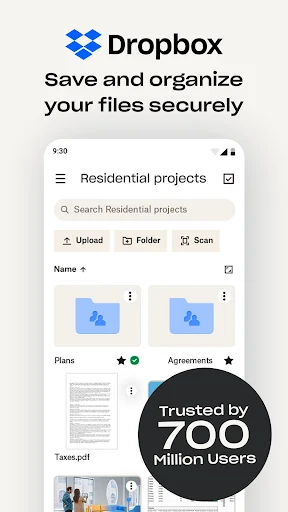
Dropbox: Secure Cloud Storage provides a central cloud location to keep photos, videos, documents, and work materials accessible across multiple devices. Instead of leaving important files tied to a single phone or computer, users can store their media in the cloud, free up local storage, and review their files from practically anywhere. A key distinguishing capability is its integrated camera roll backup, which automatically saves new photos and videos to cloud storage as they are taken.
Enabling the camera roll backup allows new photos and videos to upload continuously to cloud photo storage. This ensures media remains safe outside local device storage if a phone runs low on space. Users managing extensive video collections need to keep an eye on their available quota, as large files can quickly consume free cloud space. Creating and naming folders before uploading helps keep personal photos, work items, and large media libraries organized for faster searching later.
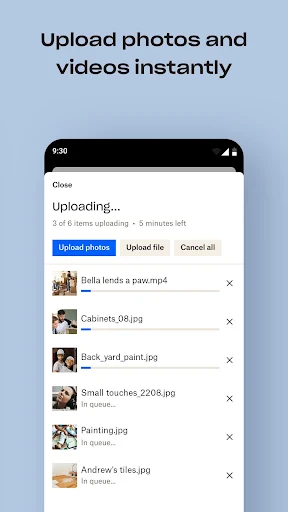
The upload workflow emphasizes organization before files are sent to the cloud. When users tap the main create menu represented by the large plus icon at the bottom of the screen, the app displays existing folders first. Selecting Upload files opens the device storage browser to select individual documents, audio, or video files, while the Create or upload folder option moves entire folder structures intact. A progress indicator tracks the upload status until syncing finishes and files appear in their designated destination.
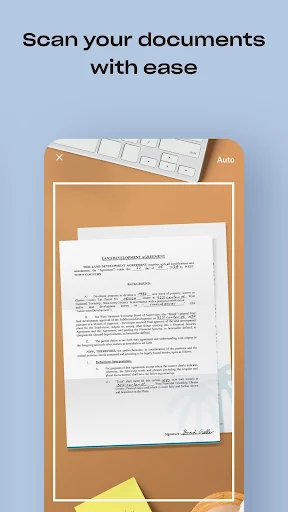
Beyond basic file hosting, the app includes built-in utility tools for handling incoming documents. An integrated document scanner captures receipts, physical IDs, notes, and paper files directly through the device camera, transforming them into clear PDFs. For viewing shared or uncommon content, the built-in previewer supports more than 175 file types without requiring additional viewing software installed on the device.
To accommodate travel or unstable network conditions, specific files can be saved for offline access, allowing users to inspect travel papers, meeting files, or study notes without an active internet connection. If files are accidentally modified or removed, the system maintains a version history and provides file recovery options to restore previous iterations or deleted items when needed.
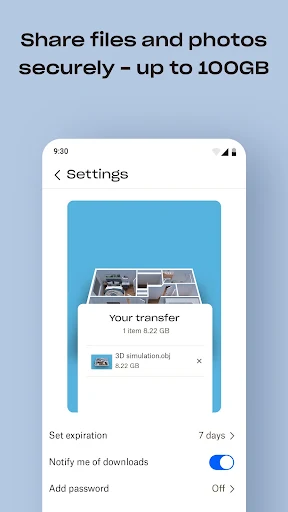
Sharing project files or large media collections does not require recipients to hold an account. Users can generate direct links to files or folders and send them to outside contacts. This allows recipients to view or download shared materials directly from a web browser without signing up for the service.
Your comment was submitted and is awaiting moderation.
Your comment was published.