App Screenshots
Dual-pane file and cloud storage manager
v3.6.5
• fixed case file rename
• video thumbnails on SFTP, improved streaming
• foldable layout improvements
• restored system folder visibility on unrooted devices
v3.6.4
• root access more reliable
• export and install split APK bundles (.apks), new APK viewer
• Fixed OneDrive uploads
v3.6.3
• WebFS: reading encrypted files, collections
• option to open target folder after "Save to"
• fixed licensing issues
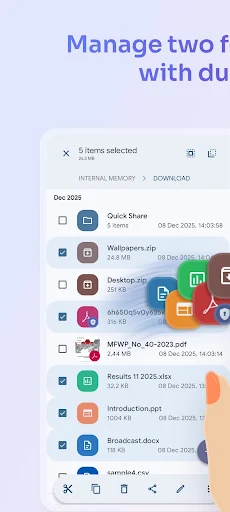
Managing files across mobile storage, remote servers, and cloud accounts often requires jumping between multiple utilities. Solid Explorer File Manager solves this by providing a dual-pane environment where you can view two directories side by side and drag items directly between them. Beyond local navigation, it connects to remote network protocols like FTP, SFTP, SMB, and WebDAV, acts as a cloud aggregator for services such as Google Drive and OneDrive, offers built-in AES-256 encryption, and includes tools to analyze and clean up storage.
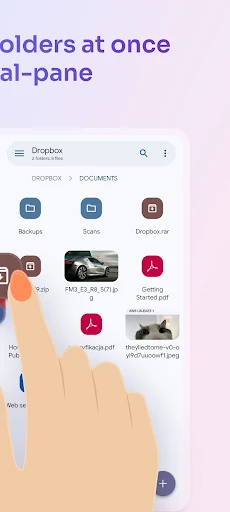
The primary interface features a two-panel layout designed to streamline file organization. By loading different locations into each pane—such as moving photos from internal storage to a connected micro SD card or a USB OTG drive—you can transfer files using simple drag-and-drop actions without opening extra windows. For general browsing, the app automatically categorizes content into indexed collections for Downloads, Photos, Videos, Music, Documents, and Apps. When dealing with large groups of items, a built-in batch renaming tool allows you to apply consistent naming patterns across multiple files simultaneously.
The app functions as a single hub for off-device storage. You can configure connections to external cloud providers like Dropbox, Box, Mega, Mediafire, Yandex, Owncloud, SugarSync, and NextCloud. Network administrators and advanced users can also link directly to local NAS drives or remote servers via SMB/CIFS, SFTP, FTP, and WebDAV protocols. Because these locations populate directly inside the interface, you can drag content straight from a cloud account to a local network server, or from an FTP connection directly to your phone.
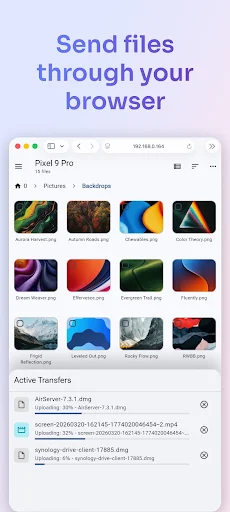
Sharing files with other equipment does not require installing secondary software on the receiving end. The app includes a built-in web server mode that turns your device into a local host. Once enabled, any computer, phone, or tablet connected to the same network can access, view, and download your shared files simply by opening a standard web browser. If you need to manage your phone’s contents directly from a desktop, you can also spin up an independent FTP server directly within the app.
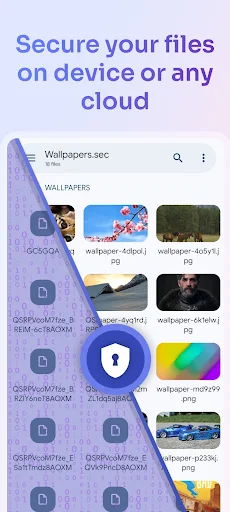
To keep private data secure, the app allows you to encrypt selected files using AES-256 encryption. Encrypted items can be unlocked using a custom password or your device’s fingerprint scanner, and protection remains intact even if the application is uninstalled. For file compression, it creates and extracts ZIP, 7ZIP, RAR, and TAR archives. The app also serves as a root explorer, granting access to system files on rooted devices, and features integrated media players and a text editor so you can preview documents, audio, images, and video without leaving the interface.
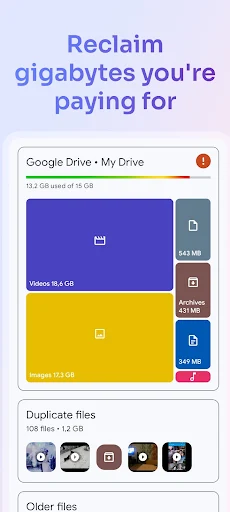
Instead of relying on third-party maintenance utilities, the app includes a dedicated storage analyzer that works across internal directories, external cards, and attached cloud accounts. It scans your storage to identify what is taking up space, highlights large files, locates duplicate items, and identifies junk files, allowing you to free up capacity directly from your file manager.
Your comment was submitted and is awaiting moderation.
Your comment was published.