App Screenshots


Simulated chat conversation creator
~ App size reduced.
~ minor bug fixes.
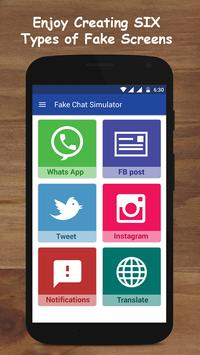
Creating mock social media threads and messaging conversations for pranks, content creation, or screenshots requires a tool designed specifically for visual customization. Fake Chat Simulator operates as a design studio for generating synthetic screen captures across multiple major digital communication formats. Users can construct customized fake WhatsApp chat screens, edit simulated Facebook posts and picture feeds, build mock Tweets with custom hashtags and mentions, and assemble synthetic Instagram posts. The app also includes functionality for generating fake system notifications and automated text translations directly on the device screen.
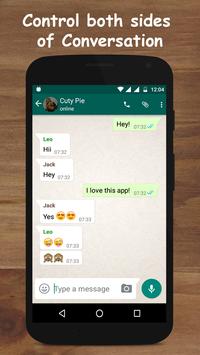
The app provides control over the individual elements of a WhatsApp chat window. Users can define custom profile names, upload specific avatar images, and set custom chat backgrounds. Beyond basic text input, the interface supports embedding images and emojis into the dialogue stream. To make the interaction appear active, the app allows users to toggle the contact’s connection status between online and typing indicators. Control extends to message delivery statuses, enabling users to manually apply single or double blue checkmarks to any message and switch between read and unread states. Conversations can be organized for either single contacts or created within simulated group chats.
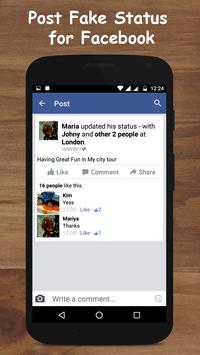
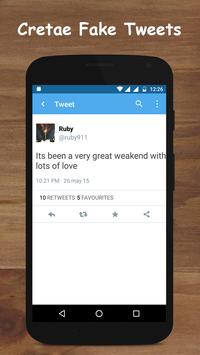
Beyond direct messaging, the app replicates layout structures for several social media platforms. Users can configure Facebook status updates and image uploads, filling out the interface with custom like counts and comment sections. Twitter mockups allow for the inclusion of functional formatting, such as user mentions and targeted hashtags. For system-level visuals, the tool builds fake device notifications and mock translation screens. The creation workflow relies on a step-by-step setup sequence, letting users adjust visual parameters on the screen before capturing a final screenshot of the crafted conversation.
Your comment was submitted and is awaiting moderation.
Your comment was published.