App Screenshots
Portable retro console gaming emulator
What's New
- Added foldable screen support, allowing you to play across two screens for a true console gaming experience.
- Expanded PlayStation system support for a better gaming experience.
- Added more games and updated the GameZone library.
For any information, please contact: [email protected]
GBA Emulator: Play Retro Games is a classic console emulation app that allows users to access and play built-in retro titles across 25 supported vintage platforms without requiring manual ROM searches. Beyond playing classic games on a mobile device, the app features direct casting capabilities to display games on external displays, hardware-inspired cosmetic skins, custom frames, and compatibility with external controllers or imported ROM files.
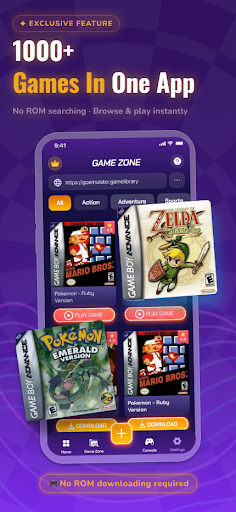
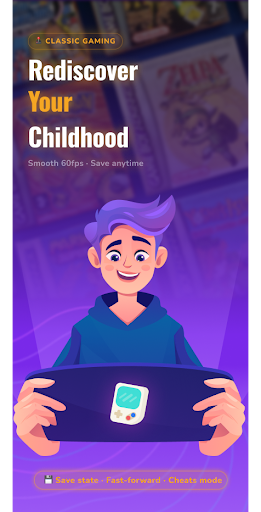
The built-in Game Hub includes over 1,000 classic games directly accessible within the software, eliminating the need to browse external websites for file downloads. Titles are categorized by genres such as Action, RPG, Sports, Puzzle, Adventure, Fighting, and Racing, as well as by system type. Each entry in the integrated catalog features game descriptions, community ratings, and cover art. Players can launch games directly from the interface, export custom save states, use fast-forward options, or apply supported cheat codes during gameplay.
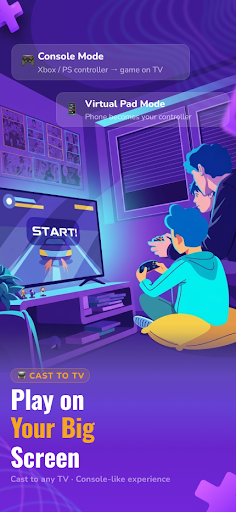
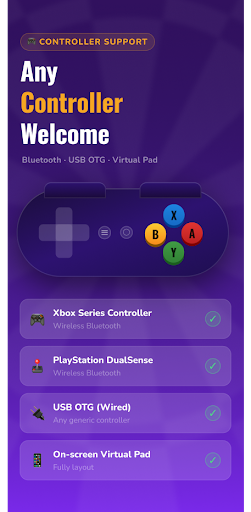
The app includes built-in TV casting designed for displays compatible with Chromecast and Google TV. Users can connect PlayStation or Xbox hardware controllers to manage gameplay. When casting to a display, the software can operate in Console Mode, which renders the game on the television while turning off the mobile screen, or Virtual Pad Mode, which turns the device into an active touchscreen gamepad.
The user interface provides custom control options and layout frames modeled after original hardware. Users can swap on-screen touch controls with various Virtual Gamepad Skins, including retro, minimal, and abstract visual themes. Additionally, the gameplay screen can be bordered with Console Frames modeled after retro handhelds and home consoles.
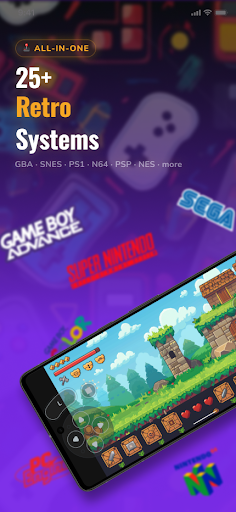
The software handles multiple console generations inside a single application interface. Documented supported systems include the Game Boy Advance (GBA), Game Boy (GB), Game Boy Color (GBC), Super Nintendo Entertainment System (SNES), Nintendo Entertainment System (NES), Nintendo 3DS, and Sega platforms, alongside support for personal ROM file imports across 25 total platforms.
Your comment was submitted and is awaiting moderation.
Your comment was published.