App Screenshots
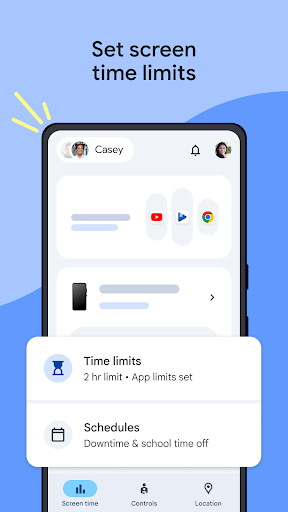

Parental controls and screen time management
New simplified design and screen time tab.
Managing a household’s digital habits requires granular controls over device access, content exposure, and daily routines. Google Family Link operates as a centralized parental control app that allows guardians to monitor screen time, restrict app installations, and filter web content across family devices. Beyond remote content management, the software provides location tracking with automated arrival and departure alerts, battery level monitoring, and remote device ringing to help parents stay connected and set balanced boundaries for their children.
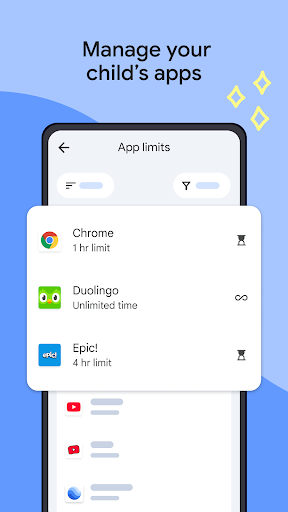
Guardians can track how much time children spend on specific applications and establish comprehensive usage boundaries. The system supports daily screen time caps alongside dedicated downtime schedules and school-time restrictions that limit access during focus hours. To accommodate remote learning or everyday utility, parents can apply individual time limits to specific applications or grant unlimited access to educational tools without lifting the global limit for the device.
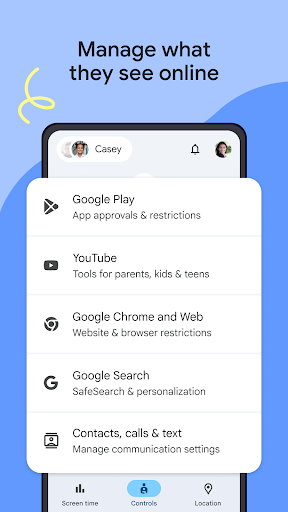
The app enforces parental oversight across Google services, including Chrome, Search, YouTube, and the Play Store. Guardians must approve or block new application download requests, manage existing application permissions, and restrict access to mature web content. However, update mechanics contain specific exceptions: children can install updates for existing software without approval—even if an update expands application permissions—and can freely download previously approved items or content shared through the family library without prompting guardians.
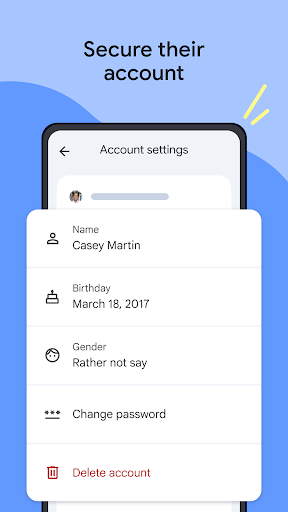
Parents maintain remote access to key security and privacy controls for their child’s account. This includes the ability to reset forgotten passwords, modify profile information, adjust data management settings, or permanently delete the account if required, provided the child has not yet reached the applicable age to manage their own settings. On the hardware level, parents can ping devices remotely to locate misplaced hardware and check real-time battery status.
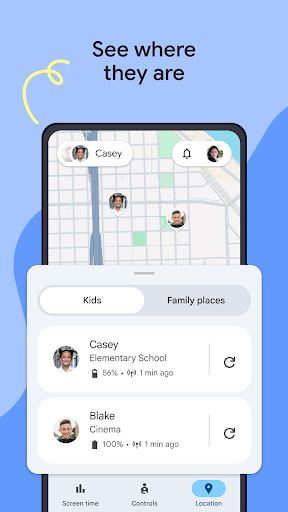
The service integrates location-based tracking that displays connected family devices on a single shared map. Guardians can configure automated location alerts that trigger whenever a child arrives at or leaves a designated location, provided the child is carrying a powered device with active location capabilities. Feature availability across all tools varies depending on the specific model and software specifications of the child’s hardware.
Your comment was submitted and is awaiting moderation.
Your comment was published.