App Screenshots
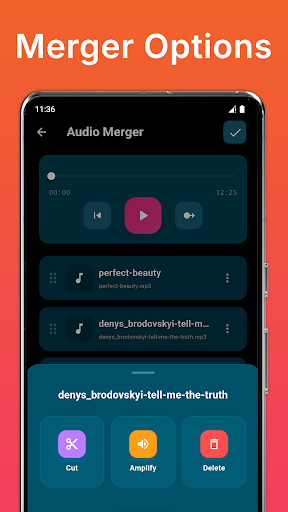

Combine and mix multiple sound tracks into single files
- Major Update to the UI and Features
- Android 16 Support
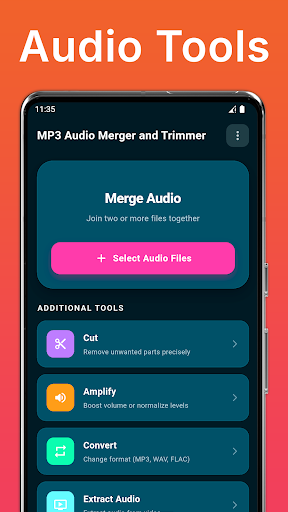
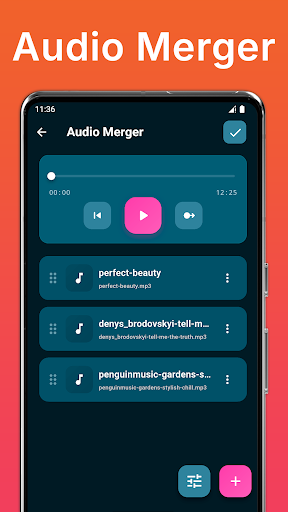
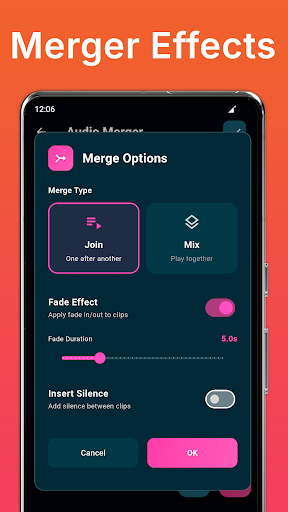
Combining separate sound bites into a cohesive file often requires jumping between specialized tools, but Audio Merger and MP3 Joiner handles these tasks within a single workspace. The app processes an unlimited number of tracks, allowing users to either overlay multiple audio sources to play simultaneously or attach files end-to-end for sequential playback. Powered by the FFmpeg engine, it works entirely offline, handling mixed file extensions and different bitrates by standardizing the inputs during the workflow without requiring an active internet connection.
The core functionality rests on two distinct processing modes. The audio joiner appends files end-to-end like a continuous playlist, which is useful for stitching together scattered voice memos, interview segments, or music tracks. For multi-layered projects, the audio merger overlays different sound files to play at the same time. This multi-track mixing capability lets users combine background music with a spoken voice recording, balance different audio elements, or merge separate instruments into a unified mix.
Audio collections frequently contain mismatched file types, but this utility resolves compatibility issues directly during processing. It supports a broad array of popular input and output formats, including MP3, M4A, WAV, FLAC, OGG, OPUS, WMA, AMR, and AIFF. When loading tracks with different file extensions or bitrates, the app converts them into a uniform format before joining or merging them, preserving the original audio fidelity throughout the conversion.
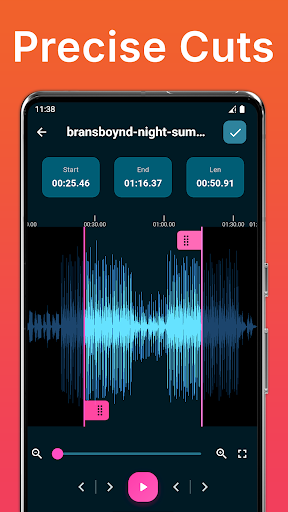
Before joining or mixing tracks, users can adjust individual media files using built-in utility tools. The integrated audio trimmer isolates specific sections of a file to extract highlights or remove unwanted silence before appending the clip to a larger project. An included volume booster raises the amplitude of quieter inputs—such as soft voice recordings—to ensure uniform output levels across the final track. Additionally, a dedicated video-to-MP3 extraction tool isolates high-quality sound directly from video files for immediate editing.
Your comment was submitted and is awaiting moderation.
Your comment was published.