App Screenshots

Local MP3 and audio file player
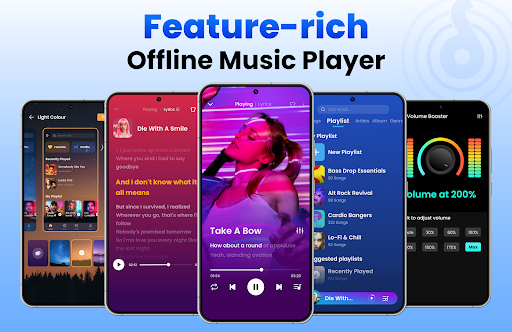
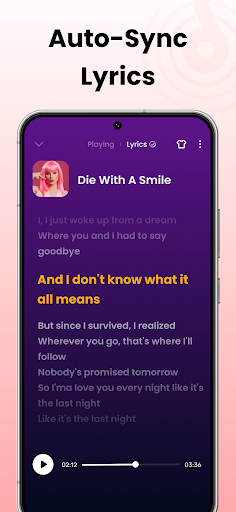
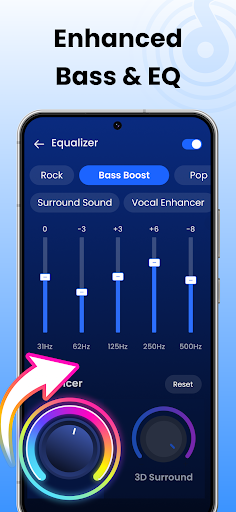
Managing a local audio collection requires software that handles file organization and playback without relying on a network connection. Offline Music Player: Play MP3 serves as a dedicated local audio player designed to scan, organize, and play sound files stored directly on a device. It addresses common streaming issues—such as data usage, buffering, and stuttering—by playing local files through a system that includes scrolling lyrics, a built-in equalizer, fade-in transitions, and automated playlist creation based on listening habits.
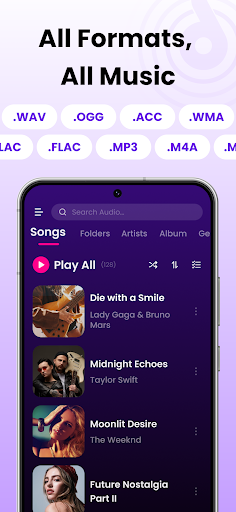
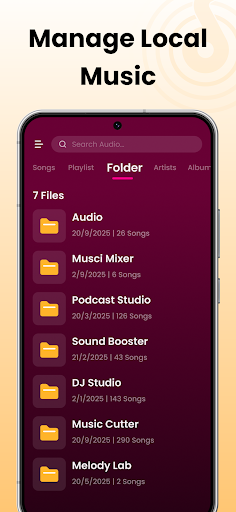
The app incorporates a music scanner that detects supported audio files across internal folders. Once imported, the track library can be organized and viewed by artist, album, genre, or specific storage folder. A built-in tag editor allows users to modify metadata, which in turn feeds into smart playlist generation. Users can manually curate lists for specific activities, like studying or working, or let the app automatically generate playlists based on track tags and play counts, including a dedicated list for most-played tracks.
Audio output is controlled through multiple play modes, including list loop, single-track loop, and random shuffle. To fine-tune the listening experience, the built-in equalizer adjusts frequency outputs, while an optional fade-in effect smoothly transitions audio when tracks start. For displaying song text, the interface supports synchronized scrolling lyrics alongside track playback.
To keep audio libraries clean, the app includes filtering tools based on audio duration. This prevents short audio clips, such as voice notes or app notification sounds, from mixing into music queues. Users can also manually add unwanted tracks to a blocklist to automatically skip them during playback. For quick access outside the main application interface, an audio widget can be placed on the home screen to control playback directly.
Your comment was submitted and is awaiting moderation.
Your comment was published.