App Screenshots
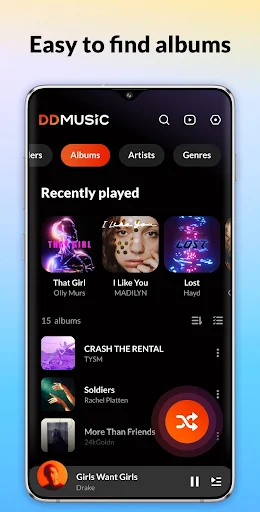

Offline audio player with equalizer
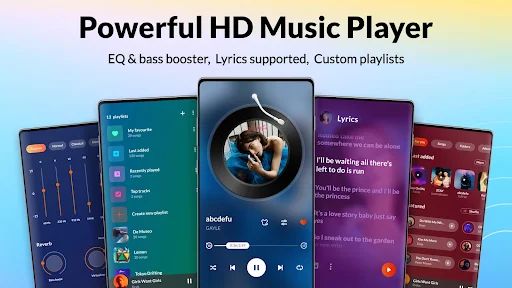
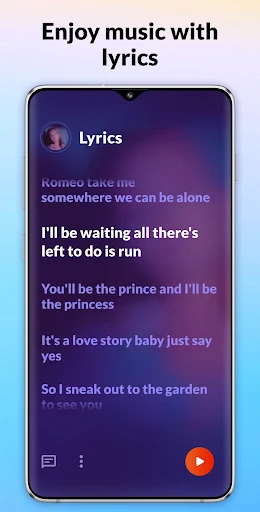
Managing a local audio collection requires a reliable way to organize files and tune playback. Music Player & MP3 – DDMusic acts as a media manager and player designed to handle stored audio files without needing an internet connection. Beyond standard playback, it includes an automatic scanner that detects local tracks, a customizable equalizer to adjust sound output, embedded lyrics support, and monthly statistics that summarize your listening habits over time.
The app plays a wide range of common and high-fidelity audio formats, including MP3, WAV, FLAC, AAC, 3GP, and OGC. Instead of requiring manual file imports, it runs a deep scan to discover audio files stored on the device and automatically refreshes the library when new files are added. To keep non-music audio from cluttering your library, built-in filters allow you to exclude files based on track duration or file size. You can also edit tags directly within the app to fix missing song names or album artwork.
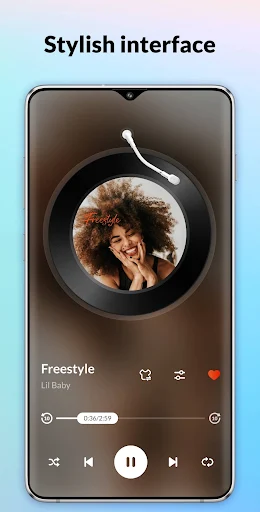
Audio output can be tailored using an integrated equalizer featuring preset profiles for genres like rock, jazz, classical, and folk. The equalizer settings also include manual controls for bass boosting, reverb effects, and a music virtualizer. For daily listening, the app supports standard playback modes—including shuffle, repeat, loop, and sequential play—and provides continuous background playback, lock screen controls, home screen widgets, and notification center integration. A built-in sleep timer can be set to stop playback automatically after a specified duration.
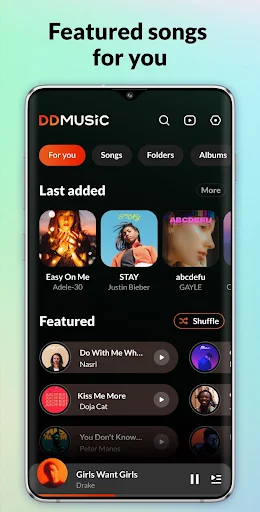
Tracks can be browsed and sorted by artist, album, genre, folder, or playlist. The app automatically generates smart playlists based on your history, such as Recently Played, Most Played, and Featured tracks, while also allowing you to create custom playlists, back them up, and restore them if needed. A dedicated monthly recap feature tracks your overall usage, presenting visual charts of your listening time, active days, top artists, most-played albums, and listening milestones.
Your comment was submitted and is awaiting moderation.
Your comment was published.