App Screenshots
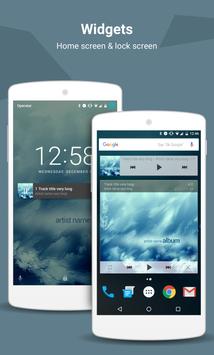

Local music and audio player with equalizer.
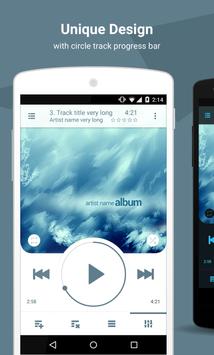
NRG Player is an audio playback app designed to handle music files directly from local device folders and specialized formats. Equipped with its own built-in audio engine, it plays standard tracks alongside lossless files such as .FLAC, .ALAC, and .APE. A key feature is its flexible playback controls, including an adjustable circle rewind system tailored for long-form audio like podcasts and audiobooks, as well as hardware volume button controls for switching tracks without looking at the screen.
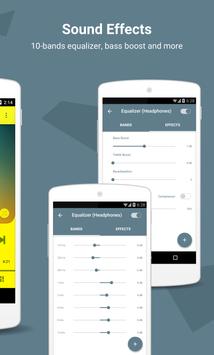
The app relies on its own processing engine rather than default system components to play lossy and lossless audio formats. Users can open a 10-band graphic equalizer directly from the main view using the designated toggle button. Beyond choosing standard presets or building custom frequency profiles, swiping to the equalizer’s secondary tab grants access to extra sound effects aimed at adjusting headphone output.
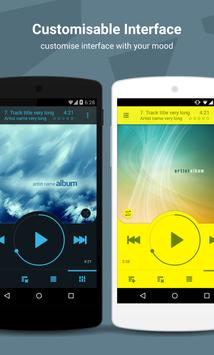
The main player screen and overall interface appearance can be adapted to user preference. Accessing the settings menu through the gear icon provides options to change interface colors, swap background styles, or apply full skins. This allows users to alter the overall visual layout and color palette of the player.
For listening to audiobooks and long recordings, the app features a variable rewind speed setting. Users can calibrate the circle rewind control—such as setting an x1/8 speed modifier—to spread a full rewind gesture over eight full rotations, enabling precise seeking within lengthy tracks. Additionally, the app supports physical hardware controls, allowing users to map track-switching actions directly to the device’s volume buttons.
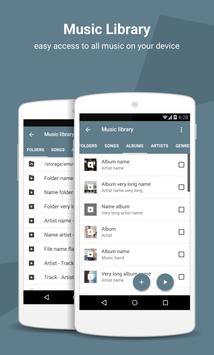
Media library organization bridges traditional folder structures and tag-based metadata. By selecting the library menu, users can browse content across five distinct categories: folders, individual songs, albums, artists, and genres. The interface allows selecting items from multiple categories simultaneously using checkboxes to populate a single playlist. Users can also trigger playback for an entire folder, album, or artist by tapping the play icon next to any directory, or generate an automated playback queue from the master song list in three taps.
Your comment was submitted and is awaiting moderation.
Your comment was published.