App Screenshots
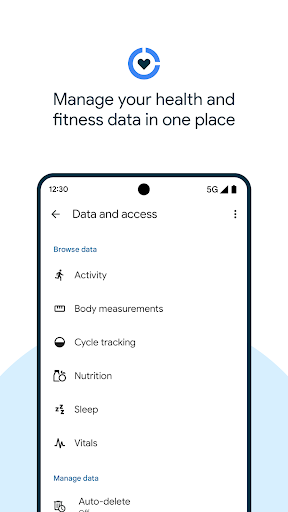

Health and fitness data sharing manager
Try Health Connect out with your compatible health and fitness apps: https://g.co/android/CompatibleWithHealthConnect
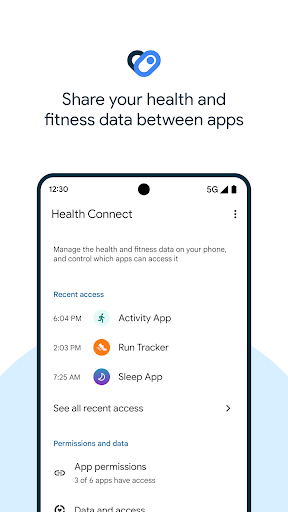
Health Connect is a central privacy hub and data integration tool that allows you to manage how fitness, wellness, and health data is shared between different applications. Instead of permitting every service to access your entire health profile, you can grant per-app permissions for specific metrics like step counts, sleep duration, or heart rate. The app processes and stores your records locally on your device, ensuring that sensitive data remains offline, under your direct control, and accessible through a transparent access log.
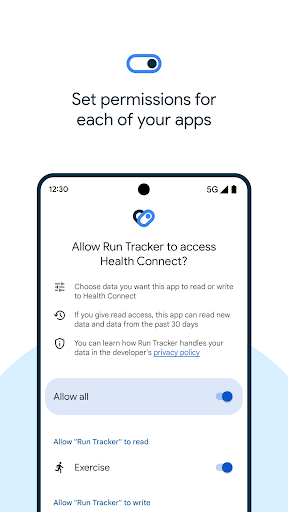
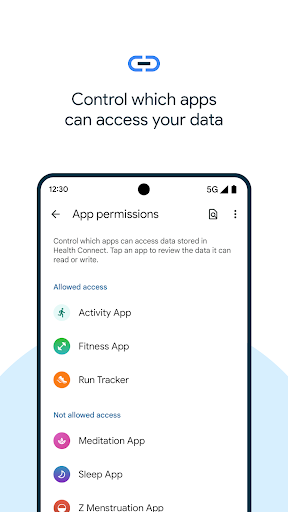
Managing health permissions through individual app menus can be complex, but this central hub unifies access control across supported services like Google Fit and Samsung Health. You can specify exact read and write privileges for every metric. For example, you might allow a dedicated sleep tracker to read your nightly sleep data while explicitly blocking it from writing or modifying your body weight records. If an app requests broader access, you can restrict it to only the categories necessary for its function.
All health metrics, mapped workout routes, and basic medical records—which support the FHIR standard—are stored directly on your phone’s local storage rather than a central cloud server. To maintain transparency, the app includes a detailed access log that records exactly when and which third-party software read or modified your information. If you notice unusual activity, permissions can be revoked immediately. You can access these controls directly through your device Settings or via a Quick Settings tile.
When outdoor exercises like runs or cycling sessions are recorded, the app supports sharing raw GPS route data between compatible services. This allows a workout mapped in one tracking tool to display its complete visual path inside another analysis app. Because developer implementations vary, newly connected apps may require you to confirm permissions both within their own internal settings and inside the central hub. If data does not sync immediately, refreshing the source app usually resolves the delay. While local storage is maintained on the device, individual third-party services may still sync data to their own external servers once read permissions are granted.
Your comment was submitted and is awaiting moderation.
Your comment was published.