App Screenshots

Portable document scanner and OCR tool
IMPROVED:
• Performance and stability.
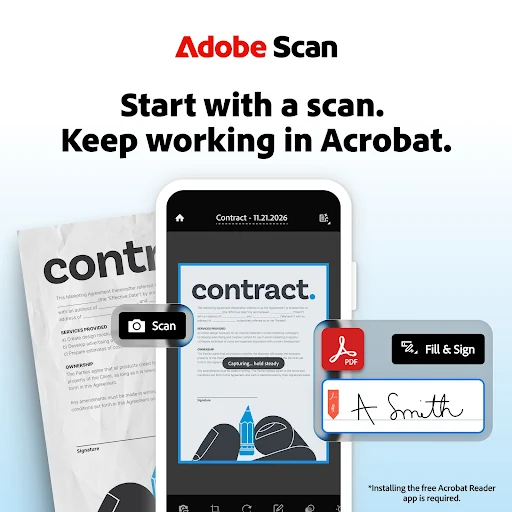
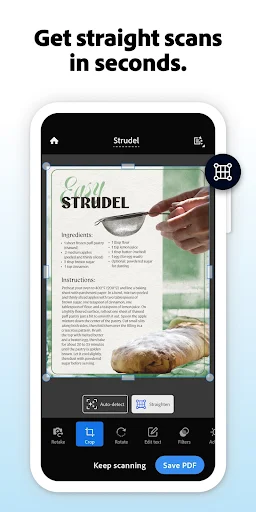
Adobe Scan: PDF Scanner App turns a phone or tablet camera into a mobile document scanner, enabling users to capture paper documents, receipts, IDs, handwritten notes, books, and whiteboards directly to PDF or JPEG formats. The app uses automatic edge detection and perspective correction to straighten skewed shots taken from various angles. Integrated optical character recognition (OCR) automatically converts scanned text into searchable, selectable data, making it easy to find specific information or extract details for follow-up work across various daily tasks.
Scanning paperwork begins by selecting a dedicated capture mode tailored to specific document types, including business cards, receipts, whiteboards, or multi-page books. When holding the device over a target page, the camera can automatically detect paper borders, trigger the shutter, and crop out background surfaces. For environments with dim lighting or cluttered desks, users can switch to manual capture to retain complete control over the exact moment of image acquisition. Scanned pages assemble into a file list on the home screen, ready for immediate saving or further refinement.
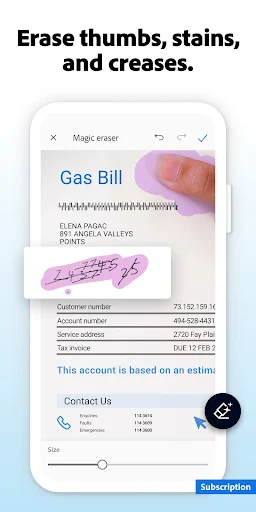
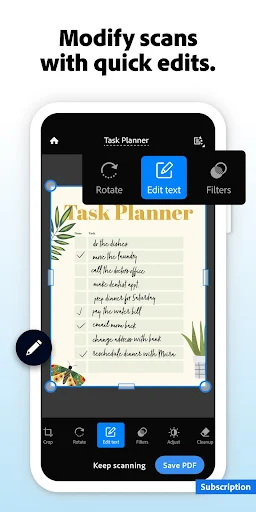
Captured images often contain unwanted distractions from real-world scanning conditions. The app includes a set of editing tools to improve overall readability before finalizing a document. Users can manually crop, rotate, resize, and reorder pages, as well as adjust contrast and brightness or apply color filters. Specific digital tools like the Magic Eraser and Cleanup functions remove recurring visual flaws, such as stray fingers near paper margins, dark shadows, surface glare, ink stains, creases, and unwanted handwriting.
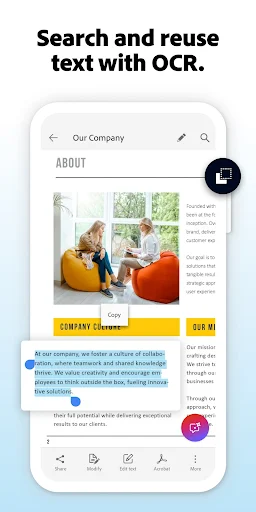
The built-in OCR processing changes flat image scans into functional text files. Instead of leaving text locked inside a static photo, the system recognizes printed and written characters so users can search for specific invoice numbers, dates, names, or key phrases across long documents. Beyond simple searching, this text can be selected and copied directly from the scan, allowing users to move data into other applications, forms, or text editors without retyping the material manually.
Your comment was submitted and is awaiting moderation.
Your comment was published.