Is there Kawaks for Android?
Kawaks (WinKawaks) is an arcade emulator for Windows, known for Capcom CPS1 and CPS2 and Neo Geo games. It has no official Android version. Apps that appear on Android as “Kawaks Arcade Emulator” come from other developers: some are simple launchers full of ads, and others bundle games without permission from their owners.
For arcade games on a phone there are better, well-known options: MAME4droid and RetroArch cores such as FinalBurn Neo. This guide explains which to choose, why a game “won’t start” and how to play legally.
The real alternatives to Kawaks
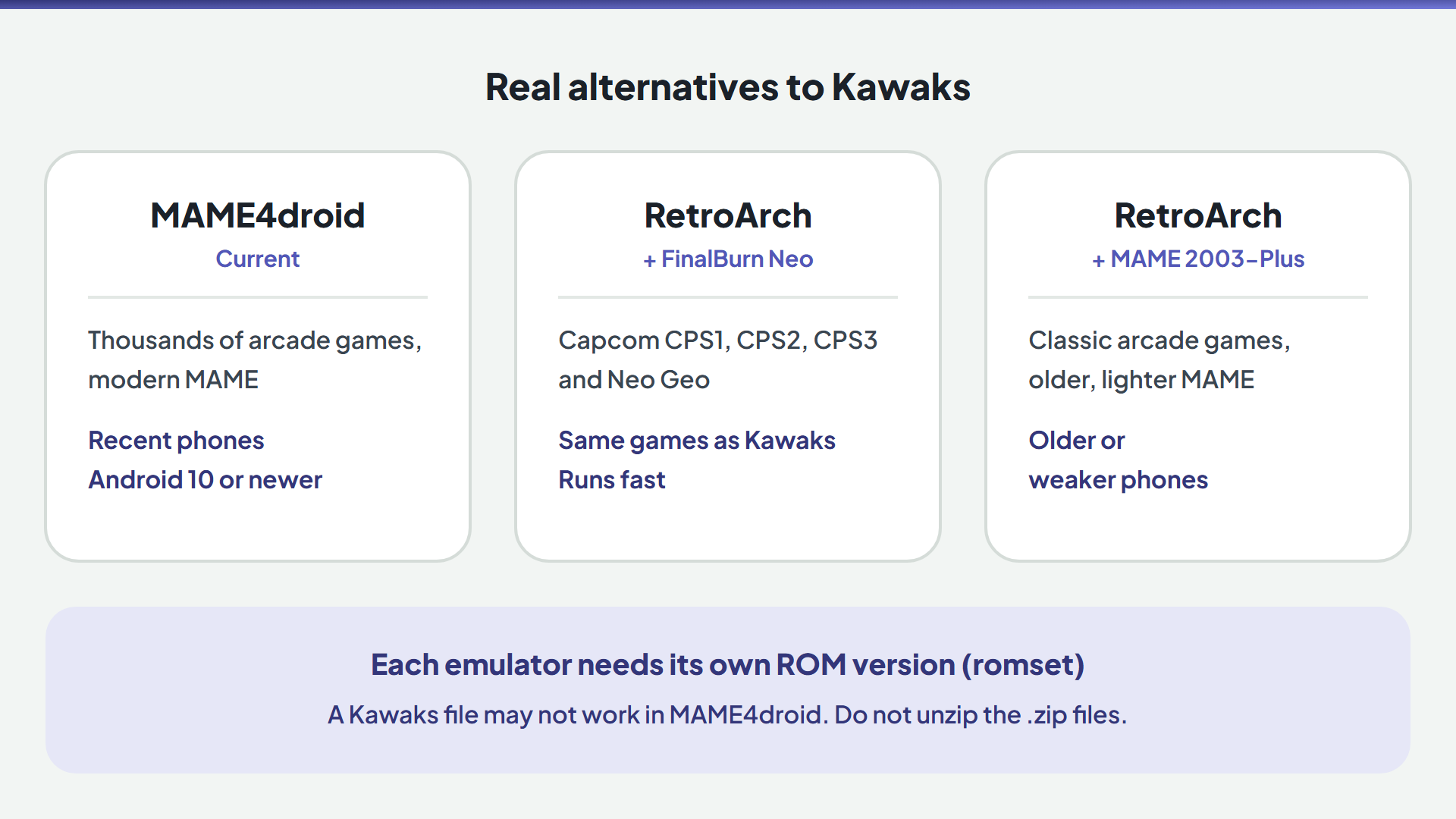
| Emulator | What it emulates | Best for |
|---|---|---|
| MAME4droid Current | Thousands of arcade machines and some classic computers, using modern MAME | Recent phones (on APKCombo: Android 10 or newer, 64-bit) |
| RetroArch + FinalBurn Neo | Capcom CPS1, CPS2 and CPS3, Neo Geo, Konami, Cave and more | The same games people look for in Kawaks; very fast |
| RetroArch + MAME 2003-Plus | Classic arcade games with an older, lighter MAME version | Older or weaker phones |

Why a game won’t start: ROM versions
Each arcade emulator expects a game’s files in a specific format and version, called a romset. A file made for Kawaks may not work in MAME4droid, and one for modern MAME may fail in MAME 2003-Plus. That is why you see errors like “missing files” or “ROM not found”.
- Use the romset for the same emulator and version. MAME4droid Current uses the set for its MAME version; FinalBurn Neo uses its own; MAME 2003-Plus uses an old one (0.78).
- Do not unzip the .zip files. Arcade games load as .zip files as they are; the file name must be the one the emulator expects.
- Some systems need a BIOS, such as Neo Geo. Emulators do not include it.
Setting up RetroArch with FinalBurn Neo
- Install RetroArch and open it. Allow access to the folder where you keep your games.
- Download the core. Go to Main Menu › Load Core › Download a Core and choose Arcade (FinalBurn Neo).
- Scan your games. In Import Content › Scan Directory, choose your folder; RetroArch builds an arcade playlist.
- Set up controls. Touch controls are on by default; a Bluetooth controller is detected automatically. Remap buttons in Settings › Input.
- Save anytime with save states from the quick menu.
Playing legally
Emulators are legal; the games have owners. Downloading ROMs of games you do not own is piracy, and “Kawaks” apps that bundle games distribute them without permission.
- Free, legal games: the MAME project publishes on its website some ROMs that their owners released for non-commercial use.
- Your own boards: if you own an original arcade board, you can make a copy to play in an emulator.
- Official collections: Capcom, SNK and others sell arcade collections for consoles, PC and sometimes Android.
Common problems
| Problem | Fix |
|---|---|
| “Missing files” or “ROM not found” | The romset does not match the emulator version. Use the set for MAME4droid, FinalBurn Neo or MAME 2003-Plus as needed. |
| A Neo Geo game won’t start | It needs the Neo Geo BIOS in the same folder. |
| “App not installed” | MAME4droid Current needs Android 10 and 64-bit; on older phones use RetroArch with MAME 2003-Plus. |
| Runs slowly | Try FinalBurn Neo or MAME 2003-Plus in RetroArch, which are lighter. |
For other consoles, see our guides to the PS2 emulator and the 3DS emulator on Android.
Kawaks has no official Android version, and apps with that name are not from its authors. For arcade games use MAME4droid Current on recent phones, RetroArch with FinalBurn Neo for Capcom CPS and Neo Geo, and MAME 2003-Plus on older phones. Always use the romset for your emulator’s version and play legal ROMs.
Frequently asked questions
Does Kawaks have an official Android version?
No. Kawaks is a Windows emulator. Android apps with that name come from other developers.
Which emulator should I use for Neo Geo and Capcom games on Android?
RetroArch with the FinalBurn Neo core runs Capcom CPS1, CPS2, CPS3 and Neo Geo very well. MAME4droid Current also runs them on recent phones.
Why don’t my Kawaks ROMs work in MAME4droid?
Each emulator uses a different version of the game files (romset). You need the romset that matches your emulator’s version.
Is it legal to download arcade ROMs?
Only for games released by their owners or copies of boards you own. Downloading other games is piracy.
Does it work on older phones?
Yes, with RetroArch and the MAME 2003-Plus core, which is much lighter. MAME4droid Current needs Android 10 or newer.
Reviews and ratings
Your comment was submitted and is awaiting moderation.
Your comment was published.