Can you use one WhatsApp account on two phones?
Yes. Since 2023 WhatsApp lets you link up to four extra devices to one account, and one of them can be a second Android phone. WhatsApp calls this a linked device or companion device. Your main phone stays the primary device with the phone number; the second phone shows the same chats and can send and receive messages, even when the main phone is off.
This replaces the old tricks people searched for, such as “WhatsApp Web APK” apps. Those are not made by WhatsApp and are not needed any more.
WhatsAppCommunication · 100.31 MB · 2.26.45.99 · XAPK Download
What you can link
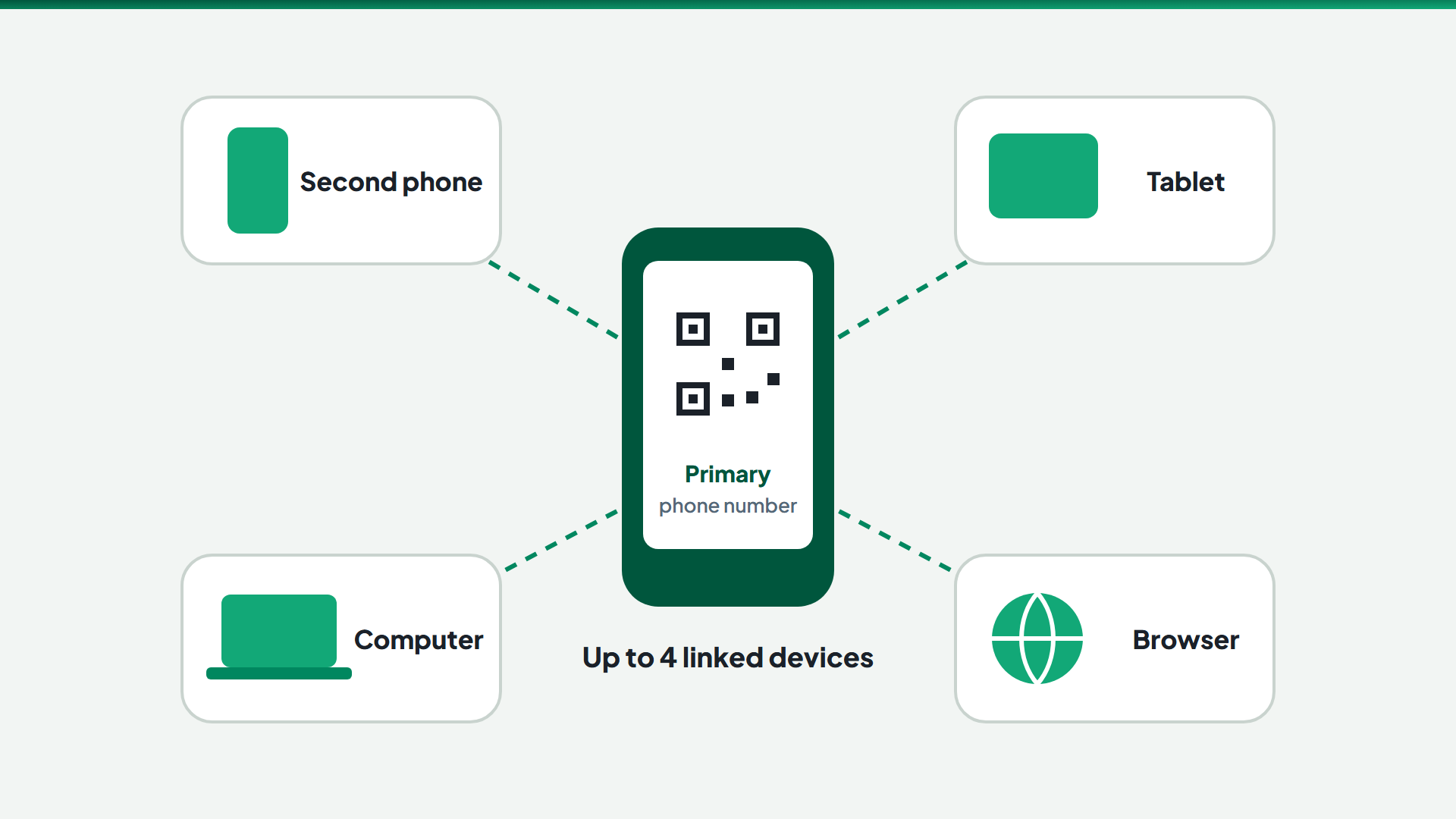
| Device | How to link it |
|---|---|
| Second Android phone | WhatsApp app, “Link as companion device” at sign-up |
| Android tablet | WhatsApp app; tablets show the QR code automatically |
| Computer | WhatsApp desktop app or web.whatsapp.com |
| Another phone’s browser | web.whatsapp.com with “Desktop site” turned on |
How to link a second phone
- Install WhatsApp on the second phoneFrom Google Play or from the WhatsApp page on APKCombo. If WhatsApp was already used with another number on that phone, back it up first, because linking replaces it. If the install fails, see what each install error means.
- Do not enter a phone numberOn the “Enter your phone number” screen, open the ⋮ menu at the top right and tap Link to existing account (on some versions, “Link as companion device”). A QR code appears.
- Scan the code with your main phoneOn the main phone: WhatsApp › ⋮ (or Settings on iPhone) › Linked devices › Link a device, then point the camera at the QR code on the second phone.
- Wait for the chats to syncRecent messages copy over end-to-end encrypted. Keep both phones on Wi-Fi; a large history can take a few minutes.

What a linked phone cannot do
- The main phone must stay in use. If the primary phone is not used for about 14 days, linked devices are logged out.
- Some features stay on the main phone, such as changing the phone number, deleting the account and managing some settings.
- Only one primary phone. You cannot register the same number on two phones as primary; linking is the only supported way.
- Older chats may be missing. The linked phone gets a recent copy of your history, not always everything.
What about “WhatsApp Web APK” apps?
Apps that call themselves “WhatsApp Web” or “WhatsWeb” for Android are made by other developers. They usually just open web.whatsapp.com inside their own window, wrapped in ads. Some ask for permissions they do not need.
You do not need them. Use companion mode on a second phone, or open web.whatsapp.com in Chrome with the menu › Desktop site option ticked, then scan the QR code with your main phone.
Keep your account safe
- Check WhatsApp › ⋮ › Linked devices from time to time. Log out any device you do not recognise.
- Turn on two-step verification in Settings › Account, so nobody can register your number on another phone without your PIN.
- Install WhatsApp only from Google Play or the original APK. Modified versions such as “GB” or “Plus” builds can get your number banned and may leak your messages.
To use one WhatsApp account on two phones, install WhatsApp on the second phone, choose Link to existing account instead of entering a number, and scan the QR code from your main phone’s Linked devices screen. Skip “WhatsApp Web APK” apps, and never scan a QR code that someone else sends you. Still choosing a messenger? Read our honest WhatsApp vs Telegram comparison.
Frequently asked questions
Can I use the same WhatsApp number on two phones?
Yes, as a linked device. The main phone keeps the number, and up to four other devices, including a second phone, can be linked to it with a QR code.
Does the second phone need a SIM card?
No. A linked phone only needs an internet connection. It does not need a SIM or its own number.
Does the linked phone work when the main phone is off?
Yes. Linked devices connect on their own. The main phone only needs to be used at least every 14 days or so to keep them linked.
Is there an official WhatsApp Web app for Android?
No. WhatsApp’s own app supports linking a second phone or tablet. Apps named “WhatsApp Web” on Android are made by other developers.
How do I unlink the second phone?
On the main phone, open Linked devices, tap the device and choose Log out. You can also log out from the linked phone itself.

Reviews and ratings
Your comment was submitted and is awaiting moderation.
Your comment was published.