App Screenshots
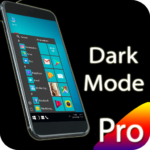
Desktop style computer interface launcher
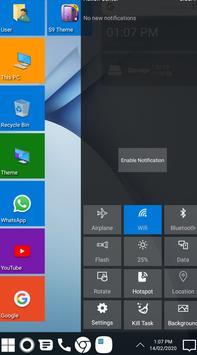
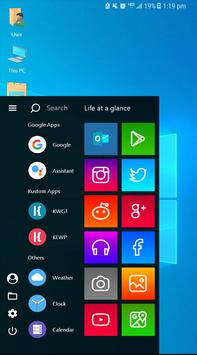
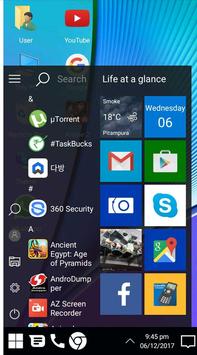
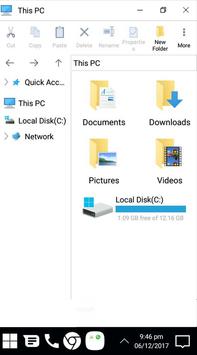
Transforming your mobile interface into a desktop environment, Desktop Pro: Windows 11 & Windows 10 Launcher pro equips your device with a familiar computer-style layout complete with a taskbar, customizable desktop folders, and windowed aesthetics. You can navigate your files using a desktop-inspired file manager that organizes local storage and external memory cards into distinct drives, similar to a traditional PC file system. Beyond visual tweaks, it integrates functional desktop widgets, quick search tools, and basic system management tools like a Recycle Bin and a smartphone cleaning feature directly into the launcher interface.
The app adapts your screen to mimic various computer operating systems, allowing you to switch between visual styles tailored after Windows 11, Windows 10, Windows 8, Windows 7, and Windows XP. Customization extends to personalizing your desktop layout with drag-and-drop features, removable taskbar icons, and adjustable taskbar transparency settings. You can set live Windows animations, screen savers, and custom wallpapers, or apply interactive tiles for your photo gallery, weather, and calendar directly on the main screen.
A core component of the launcher is its built-in file manager, which displays internal memory as a local drive and external SD cards as secondary drives. This structure allows you to browse, organize, and move files using desktop navigation conventions. To help manage device storage, the launcher includes a dedicated Recycle Bin shortcut to quickly clear out unwanted files, alongside an integrated gallery function for viewing local media.
System functions and utilities are formatted as desktop elements to match the PC aesthetic. Built-in widgets show RAM usage, live weather updates, and a customizable clock that supports both 12-hour and 24-hour time formats. For daily tasks, the launcher provides a desktop-style calculator alongside a quick search tool designed to look up and launch installed applications efficiently.
Your comment was submitted and is awaiting moderation.
Your comment was published.