App Screenshots

Performance and resource optimizer for gaming
👑 LEGEND IS BACK 👑
- Please rate the app to support us💙
- App crash fixed on some devices
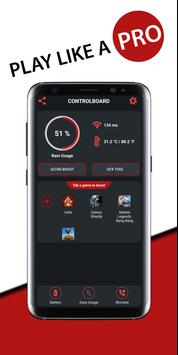
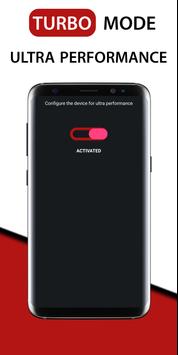
Managing device performance while gaming often requires juggling hardware monitors, system optimizations, and visual configurations. Game Booster addresses this by consolidating optimization tools, a GFX modifier, and a launcher into a single application. It automates background memory cleanup to free up RAM, monitors key system metrics like battery temperature and network latency, and allows users to tweak graphic configurations for individual titles. By managing system resources and network ping before launching a game, it aims to reduce frame drops and stabilize general performance across various hardware setups.
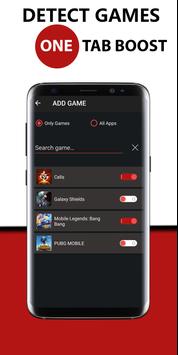
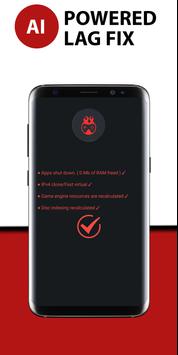
The app serves as a single hub where users can organize their installed titles rather than searching through the device’s main menu. Before starting a session, a one-touch boost function triggers an automated cleanup process. This process terminates unnecessary background applications to release maximum operational memory and re-indexes memory structures to reduce system load during heavy usage.
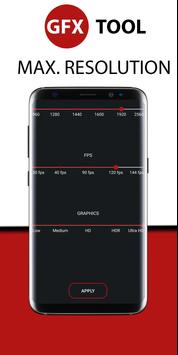
For titles that support custom configuration files, the built-in GFX tool grants direct control over rendering parameters. Users can adjust the target game resolution up to 2560 pixels, configure higher FPS limits, and toggle simulated HDR graphics on older hardware. To apply these visual tweaks, the app requires storage permissions to read and write config files directly to the device directory.
To track system health during operation, the built-in monitor provides real-time readouts for overall RAM usage, battery temperature, and network latency. An integrated pinger relies on internet access to test connection stability and identify network lag, helping users determine whether performance issues stem from local hardware throttling or external connection dropouts.
Your comment was submitted and is awaiting moderation.
Your comment was published.