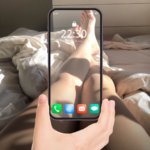
App Screenshots
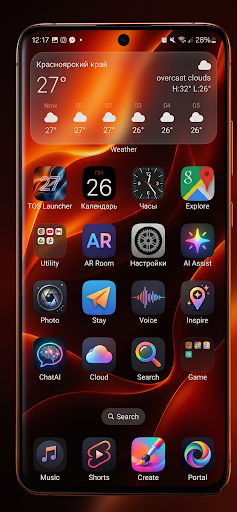
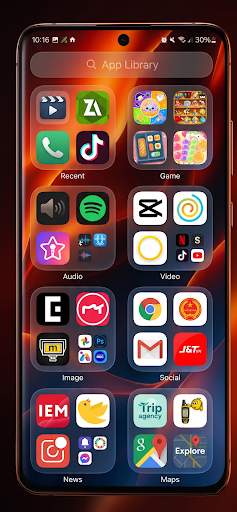
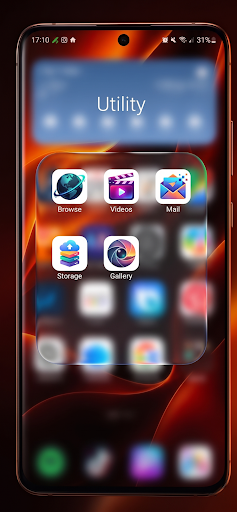
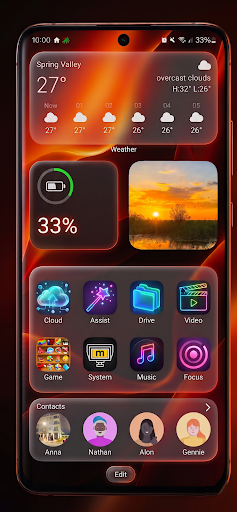

iOS-inspired home screen customization interface
Glass Launcher Made by LuuTinh Developer
THIS UPDATE
- Glass effect to all widget
- Add Protect Apps to App Library
- Optimization fps, unlock anim
- Fixes issue report by user
NEXT UPDATE
- Liquid Glass for another view
1. IF YOU HAVE ANY ERRORS, PLEASE SEND IMAGES OR VIDEOS WITH ERRORS TO MY EMAIL [email protected]. WE WILL REPAIR IT ASAP.
2. TO CONTINUE TO DEVELOP AND SUPPORT USERS WE HAVE TO ADD SOME ADS IN MY APP. WE WISH FOR YOUR UNDERSTANDING.
THANK YOU SO MUCH FOR USING MY APP :)
Customizing a home screen with an iPhone-style layout is straightforward with Glass Launcher. The app redefines the main interface using a clean icon grid, rounded app designs, and consistent transitions that mimic an iOS layout. Beyond visual changes, it integrates an iPhone-inspired Control Center and a floating shortcut button to streamline daily navigation and access key system functions without leaving your active screen.
The primary screen focuses on visual clarity, arranging icons in a neat grid paired with refined page transitions. To support the aesthetic, the app includes built-in wallpaper options tailored to complement the iOS layout. Recent visual additions introduce a Liquid Glass effect on the home screen search bar, with further interface views planned for future updates to maintain a cohesive look.
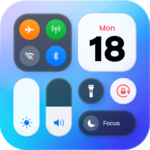
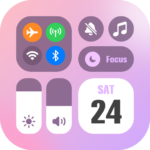
Swiping up from the bottom of the display reveals a centralized Control Center panel. This interface aggregates common utility shortcuts and essential hardware toggles into a single view. The layout optimizes one-handed operation on larger displays, allowing quick adjustments to settings like screen brightness or network connections mid-task without navigating through system menus.
A lightweight floating button stays visible across different screens to provide instant access to designated apps and frequent actions. Designed to reduce finger reach and tap counts, this AssistiveTouch-style element lets you launch preferred messaging apps or utility tools with a single tap, regardless of what is currently open on the device.
Your comment was submitted and is awaiting moderation.
Your comment was published.