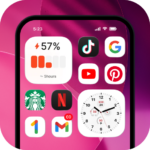
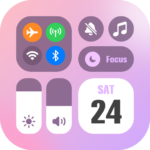
App Screenshots

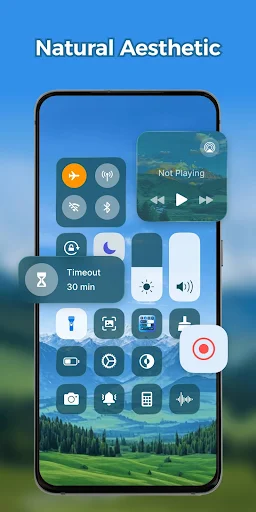
Device settings and application management panel
Control Center – Stable & Easy combines a centralized device management overlay with custom aesthetic options. It gives immediate access to basic controls—such as adjusting brightness and volume sliders, toggling Wi-Fi and Bluetooth, controlling music playback, and capturing screenshots or screen recordings with configurable audio inputs. Beyond standard system toggles, the app incorporates custom layout tools and a utility that scans for large media files, redundant screenshots, and similar photos to clear local storage.
The app places everyday system shortcuts into a single panel that can be summoned on top of other software. From this menu, users can adjust individual audio streams—separately tweaking levels for media, ringtones, alarms, and calls—or modify screen brightness, toggle eye comfort mode, and switch between dark and light displays. Standard hardware functions like the flashlight, camera, voice recorder, calculator, and screen orientation lock are accessible with a single tap. Network and system settings, including airplane mode, mobile data, hotspots, location services, and screen casting, can also be toggled directly from the interface.
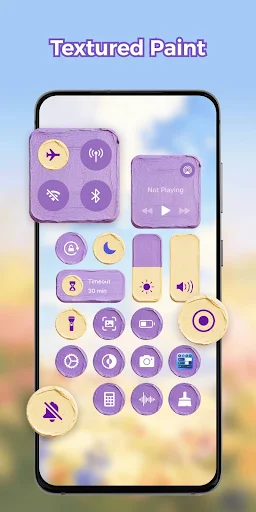
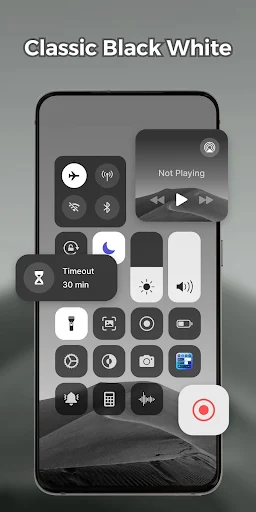
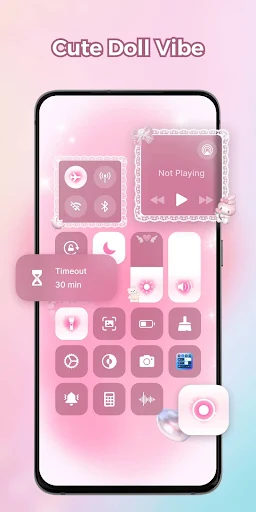
Users can tailor the appearance and activation method of the overlay to match their personal setup. The app features selectable preset themes, such as dark, simple, or dreamy styles, which pair custom panel aesthetics with matching home and lock screen wallpapers. A panel creator allows users to build custom designs based on template styles, upload personal background images, and customize panel icons. The layout itself is flexible, permitting controls and preferred app shortcuts to be added, removed, or rearranged. For opening the menu, the position and appearance of the edge trigger can be adjusted anywhere along the screen border.
For capturing content, the built-in screen recorder offers settings to record internal device audio, external microphone input, or both simultaneously, with option controls to pause or stop recording at any time. To help maintain available device space, the app also includes a dedicated media cleanup tool. This function automatically scans the device storage to detect and remove duplicate or similar photos, oversized video files, and old screenshots.
Your comment was submitted and is awaiting moderation.
Your comment was published.