App Screenshots
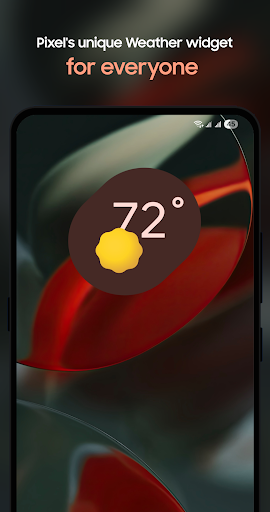
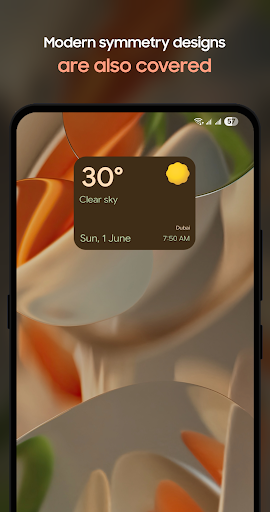
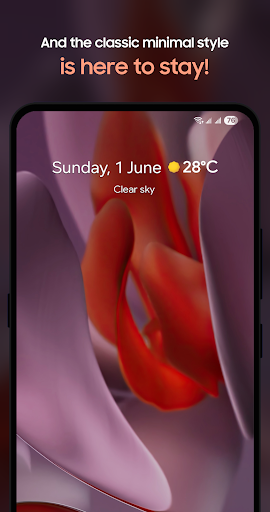
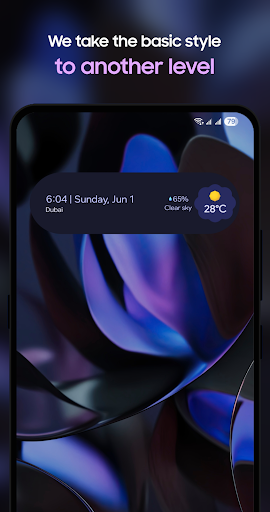
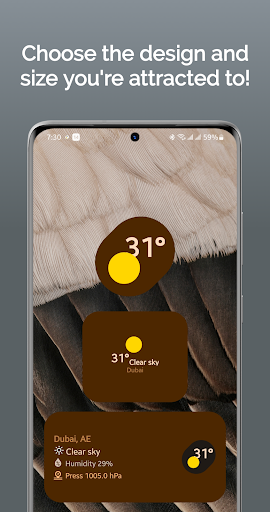
Pixel-style weather widgets and customization themes
We’ve completely reimagined Pixel Weather Widget experience. This version is packed with massive improvements to both form and function.
For any issues or suggestions, please contact us at email.
Pixel Weather Widget & Themes brings modern, Google Pixel-inspired weather displays to your home screen. It provides customizable widgets—including the At A Glance style—that show live conditions like current temperature and humidity, pulling data directly from OpenWeatherMap. You can either let the app detect your location automatically through geo-positioning or search and set your preferred city manually, allowing you to check atmospheric conditions across different regions without granting location permissions.
The app includes a collection of widget designs tailored after recent Material You and Google Pixel aesthetics. Users can personalize these home screen widgets by selecting different themes and styling options to match their setup. Alongside standard weather blocks, it features the At A Glance layout, giving key meteorological details in a compact format.
Temperature and humidity metrics are sourced from OpenWeatherMap. To populate these values, the app offers two distinct location methods. It can use your device’s location to fetch local weather automatically, or you can rely entirely on manual city searches. Because automated location tracking is optional, the app can operate fully without access to your device’s GPS coordinates.
The interface relies on an Android 12-inspired Material You design for browsing and configuring widgets. While the standard version includes core widget themes and basic customization controls, a premium upgrade is available to remove ads, unlock additional widget themes, and access expanded design adjustments.
Your comment was submitted and is awaiting moderation.
Your comment was published.