App Screenshots
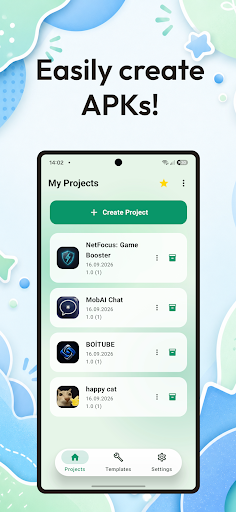
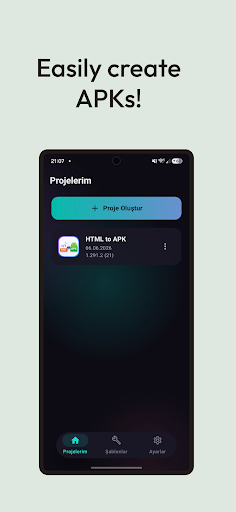
Convert web code and files into mobile packages
Performance improvements and bug fixes
HTML to APK Builder converts web assets, local code files, and online URLs into standalone mobile packages directly on your device, eliminating the need for a desktop computer or specialized development environments. It compiles and signs projects locally, supporting everything from single HTML files with embedded scripts to full ZIP archives containing CSS, custom fonts, and media files. You can also package live web portals or convert PDF documents into dedicated apps featuring built-in library controls and editing utilities.
Projects can be built from scratch or updated on the fly using an integrated code editor. The editor provides live previews, syntax highlighting, text search, and undo/redo history to streamline manual coding. When converting document files, the app embeds a dedicated PDF reader equipped with zoom controls, bookmarks, night mode, and file manipulation tools that let you rotate pages, merge documents, or add text and drawings before building.
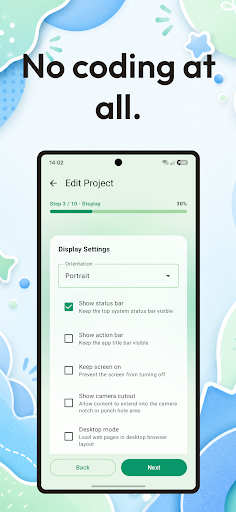
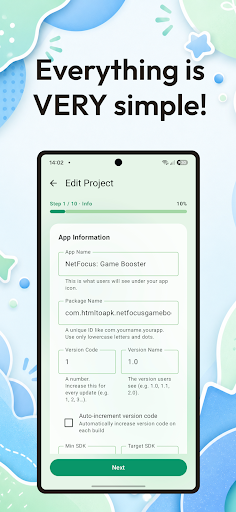
Before compiling, you can define core app metadata, including the package name, version number, display title, and minimum SDK requirements, alongside an automatic version-code counter tailored for app store uploads. The visual interface is fully customizable: you can generate letter icons, crop uploaded images, configure custom splash screens, and enforce specific orientations. Additional parameters allow you to set background colors, toggle full-screen display, hide status or navigation bars, and activate a permanent screen-on mode designed for kiosks and digital dashboards.
Built apps run on an enhanced WebView engine that retains LocalStorage, SessionStorage, and IndexedDB by default while bundling offline web assets inside the APK package. Web applications can interact directly with hardware features using a native JavaScript bridge called via the window.AndroidAPI object, granting control over device vibration, system dialogs, flashlights, sensor data, file access, and audio recording. Safety controls restrict this bridge exclusively to your local app pages so external sites or advertisements cannot access system functions. The system also supports WebRTC microphone and camera access, GPS location tracking, custom download managers, and OAuth payment or login popups.
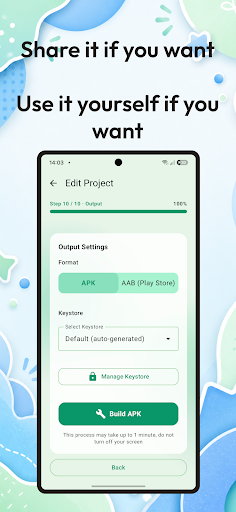
For commercial projects, optional Google AdMob integration enables banner ads, timed or page-view interstitials, and rewarded videos, supported by GDPR consent management tools and a test mode to verify placements safe from policy violations. The platform handles custom URL deep links, allowing external applications to open specific sections of your app using custom schemes. When ready, the builder generates signed packages through two separate compilation modes, letting you either perform quick single-click local installations or output optimized bundles ready for app store distribution.
Your comment was submitted and is awaiting moderation.
Your comment was published.