App Screenshots

Repeated screen tap and gesture automation
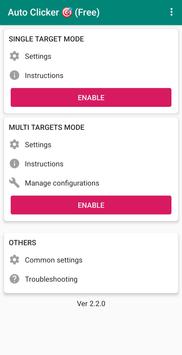
Automating repetitive display actions is simple with Auto Clicker, an app designed to take over routine screen interactions without requiring root access. It enables users to execute automated tapping and swiping patterns across various interfaces, making it practical for navigating repetitive forms, progressing through clicker games, or handling routine menu tasks. Powered by the Android Accessibility Service, the app provides a floating control panel that remains on top of other applications, allowing quick access to pause, stop, or tweak automation routines in real time without leaving the active screen.
Complex sequences often require more than just tapping a single spot on the screen. The app supports positioning multiple tap targets simultaneously and drawing swipe paths across the interface. Users can arrange each target visually before launching a session, making it easier to verify that the sequence aligns correctly with multi-step menu navigation or extended routines.
Every action in an automated routine can be tuned through detailed timing settings. The overlay lets users set delay intervals between actions, adjust press durations for individual taps, and define specific repeat counts for the sequence. Once a tap or swipe configuration is perfected, it can be saved, exported, and imported as a reusable script, eliminating the need to recreate daily routines from scratch.
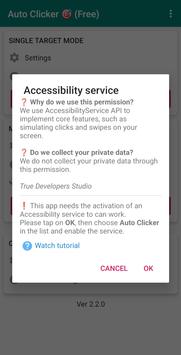
To perform actions on top of other applications, the utility relies on Android’s Accessibility Service permissions. Running on Android 7.0 and higher, the installation lightweight file allows a quick setup process. First-time users can verify their configuration by setting up a basic single-point test to confirm that the overlay panel and timing intervals are responding correctly before running longer routines.
Your comment was submitted and is awaiting moderation.
Your comment was published.