App Screenshots

Tools for eyes-free device control and screen reading
TalkBack 17.1
• Improved text selection
• Voice selection within TalkBack settings
• Enhanced braille display customization
• Improved typing experience with a physical keyboard in Chinese, Japanese, Korean, and Vietnamese
• Improved keyboard interactions when using smart browse mode
• Improved overall performance
TalkBack on Wear OS 17.1
• More seamless “Continue on Phone” experience
• Enhanced display of speech output
The Android Accessibility Suite provides built-in tools that allow users to interact with their devices hands-free, eyes-free, or using external switch hardware. It integrates several system-level utilities to help navigate interfaces, listen to text, and handle daily tasks without relying solely on traditional visual or touch input. By using spoken audio, gestural commands, and simplified screen overlays, the suite assists users who have vision impairments or motor limitations in fully operating their mobile devices.
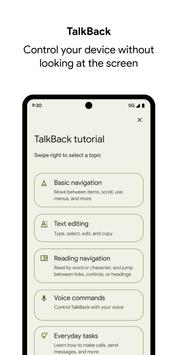
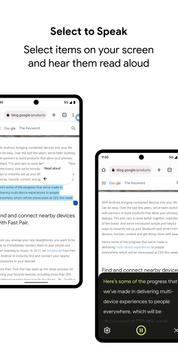
The TalkBack screen reader provides continuous spoken feedback to explain what appears on the screen, allowing complete navigation without looking at the display. Users can move through apps and control system settings using specific touch gestures, or input text directly using an integrated on-screen braille keyboard. For situations where full screen reading is unnecessary, the Select to Speak feature lets users tap specific elements or blocks of text on their display to hear just those items read aloud on demand.
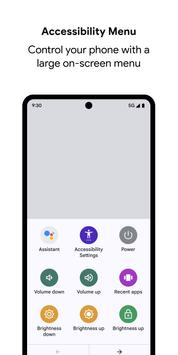
The Accessibility Menu places a large, easy-to-target visual overlay on the screen to streamline common system actions. Instead of using standard hardware buttons or complex gestures, users can tap this menu to trigger essential system functions. This includes taking screenshots, adjusting media and ring volume, altering screen brightness, and locking the device screen.
The core suite functions on mobile devices running Android 7 (Android N) or later. Wearable features require a smartwatch running Wear OS 3.0 or higher to extend TalkBack functionality to small-screen devices.
To provide these services, the app relies on specific system permissions. It operates as an Accessibility Service, granting it permission to observe screen actions, read window content, and process typed text to translate interface elements into spoken feedback or switch inputs. It also monitors phone call states to adjust its spoken announcements during incoming or active calls, and uses notification permissions to alert users to service updates.
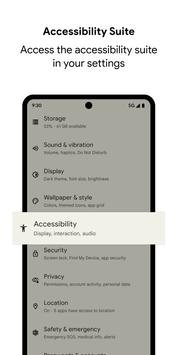
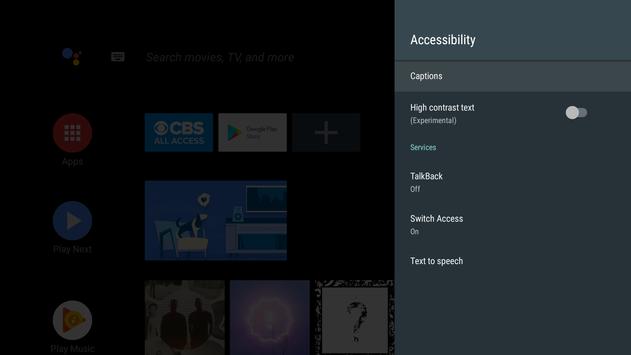
The features within the Android Accessibility Suite are managed directly through the device settings. To enable any of the tools, navigate to the Settings app, open the Accessibility category, and select Accessibility Menu, Select to Speak, or TalkBack to configure individual preferences and toggle the services on or off.
Your comment was submitted and is awaiting moderation.
Your comment was published.